
This document is a quick setup guide that explains how to adjust zoom and focus, and provides shortcut keys for output settings on different brands of computers. Additionally, the document mentions specific brand's wall outlet connection methods.
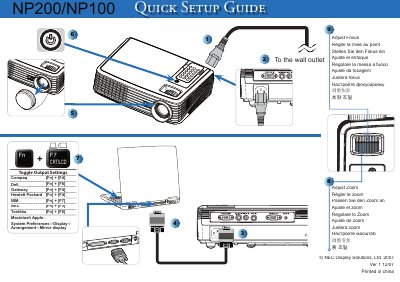
This guide provides the essential steps to get the NEC NP200 display up and running. It includes keyboard shortcuts for adjusting focus and zoom, as well as instructions for mirroring the display on a Macintosh system.
The document also lists the copyright information and version details, indicating it was printed in China in December 2007.
Use the display's zoom function as described in the "Adjust Zoom" section.