
This PDF file introduces the functions, settings and menus of the remote controllers of LT and MT series projectors
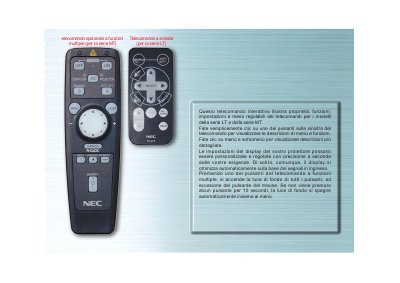
This manual describes the optional multi‑function remote for the LT series projectors. It shows how to navigate menus, adjust display settings, and use the various buttons such as SOURCE, AUTO‑ALIGNMENT, and the mouse‑control button.
The remote features a backlight that automatically turns off after 10 seconds of inactivity, LED indicators for button presses, and a COMPUTER/SELEZIONA PJ button to switch mouse control between projector and computer modes. This manual is written in Italian.
| Backlight timeout | 10 seconds of inactivity |
|---|---|
| LED indicator | LED blinks when a button is pressed |
The backlight turns off automatically after 10 seconds of no button press.
Press the COMPUTER/SELEZIONA PJ button to change the mouse buttons to projector mode.