
This is a user guide for the Wireless-B Broadband Router
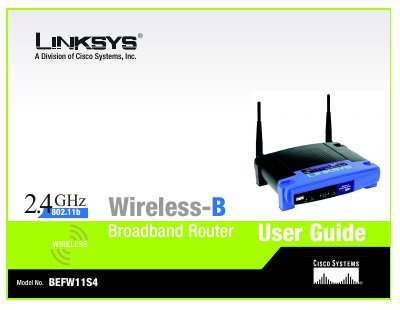
This guide introduces the Linksys Wireless‑B Broadband Router, covering basic concepts, hardware layout, and the steps needed to connect the device to a DSL or cable modem and to your home network. It walks you through planning a wireless network, installing the router, and using the web‑based utility to configure basic and advanced settings.
Additional sections cover wireless security, firmware upgrades, troubleshooting, technical specifications, warranty details, and regulatory compliance, giving users a complete reference for operating and maintaining the router.
| Standards | IEEE 802.3, IEEE 802.3u, IEEE 802.11b |
|---|---|
| Channels (US/Canada) | 11 |
| Ports | 1 RJ‑45 modem port, 4 RJ‑45 switched ports |
| Speed | 10/100 Mbps (Half Duplex), 20/200 Mbps (Full Duplex) |
| Dimensions | 186 mm × 154 mm × 48 mm |
| Weight | 0.45 kg |
| Power | External 12 V DC, 1 A |
| Operating Temperature | 0 °C to 40 °C |
| Operating Humidity | 10 % to 85 % (non‑condensing) |
Use the included Setup Wizard in the web‑based utility, which guides you step‑by‑step through the network configuration.
Linksys provides a one‑year limited warranty that covers repair or replacement of the product when defects arise under normal use.
The router has one RJ‑45 port for the modem connection and four switched RJ‑45 ports for network devices.