
The TP-LINK TL-MR3220 is a 3G wireless router that supports UMTS/HSPA/EVDO. It can achieve a maximum wireless speed of 150Mbps. It has a built-in 3G wireless module and does not require an external 3G module. It supports PPPoE, dynamic IP, static IP, L2TP, PPTP, and wired broadband access.
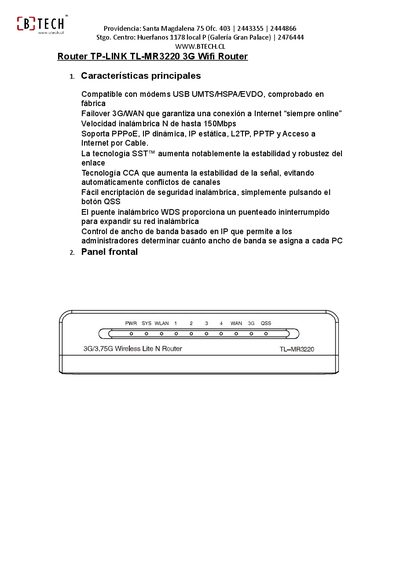
This manual provides step‑by‑step instructions for installing and configuring the TP‑Link TL‑MR3220 3G Wi‑Fi router. It covers hardware connections, power setup, and the Quick Setup wizard for basic network parameters.
Additional sections explain how to reset the device, configure 3G modem settings, and adjust wireless security and APN details for various Chilean mobile operators. This manual is written in Spanish.
| Wireless speed (802.11n) | up to 150 Mbps |
|---|---|
| LAN ports | 4 Ethernet ports |
| USB port | USB for 3G modem |
| Antenna connector | RP‑SMA detachable antenna |
| Supported WAN protocols | PPPoE, dynamic IP, static IP, L2TP, PPTP |
Press and hold the reset button for 5 seconds until the SYS LED blinks rapidly, or reset via the web interface under System Tools → Factory Settings.
The router uses a detachable RP‑SMA antenna, compatible with any antenna that has an RP‑SMA connector.
Enter the APN "web.tmovil.cl" with dial number *99# and username/password "web" in the 3G settings page.