
This is a user manual for a 3.75G HSUPA USB adapter
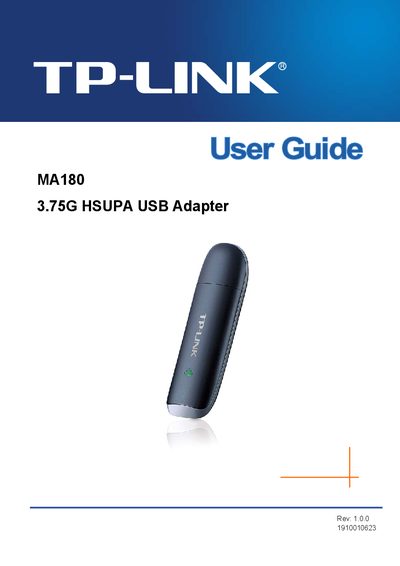
The TP-Link MA180 3.75G HSUPA USB Adapter enables 3G mobile broadband by inserting a SIM/USIM card and connecting to a computer via USB. It supports HSUPA, HSDPA, UMTS, GPRS, EDGE and GSM networks with download speeds up to 7.2 Mbps and upload speeds up to 5.76 Mbps.
The guide covers hardware installation, software driver setup, network connection, message and phonebook management, statistics, and diagnostics. An appendix lists detailed technical specifications such as supported bands, interface type, system requirements, and environmental limits.
| Network Type | WCDMA |
|---|---|
| Network Services | HSUPA, HSDPA, UMTS, GPRS, EDGE, GSM |
| Bands | GSM (850/900/1800/1900 MHz), HSUPA (2100 MHz) |
| Download Speed | 7.2 Mbps |
| Upload Speed | 5.76 Mbps |
| Antenna Type | Internal antenna |
| Interface | USB 2.0 |
| SIM/USIM Card Slot | Standard 6‑Pin SIM/USIM |
| Micro SD Card Slot | Supports up to 32 GB |
| Supported Operating Systems | Windows 7/Vista/XP (32/64‑bit) |
| Working Temperature | 0 °C ~ 40 °C (32 °F ~ 104 °F) |
| Working Humidity | 10 % ~ 90 % RH, non‑condensing |
| Storage Temperature | -40 °C ~ 70 °C (-40 °F ~ 158 °F) |
| Storage Humidity | 5 % ~ 90 % RH, non‑condensing |
The adapter provides a maximum download speed of 7.2 Mbps and an upload speed of 5.76 Mbps.
It works with Windows 7, Windows Vista, and Windows XP in both 32‑bit and 64‑bit versions.
The device supports a standard 6‑Pin SIM/USIM card.
The adapter connects via a USB 2.0 interface.