
This document provides instructions on how to set up, use and care for the Logitech X-220
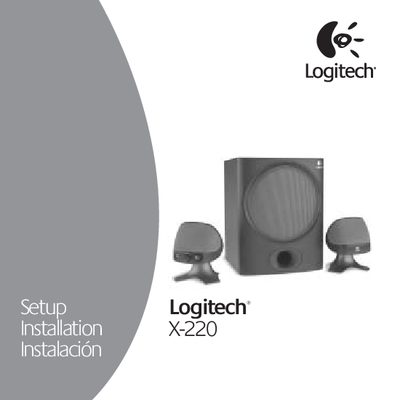
The manual begins with important safety information, advising users to unplug the speakers before cleaning, keep them away from water, ensure proper ventilation, and use the polarized plug correctly. It then guides you through positioning the satellite speakers and subwoofer, connecting the DIN plug, and wiring the green audio input to a PC or game console.
Operation details cover the power/standby switch, system and subwoofer volume controls, headphone jack behavior, and wall‑mounting options. The specifications section lists power output, THD, frequency response, driver sizes, and dimensions, followed by warranty terms and contact information.
| Total RMS Power | 32 Watts |
|---|---|
| Subwoofer RMS Power | 20.4 Watts RMS into 4 Ω at 100 Hz, 10% THD |
| Satellite RMS Power | 11.6 Watts RMS (2 × 5.8 W) into 4 Ω at 1 kHz, 10% THD |
| Total Peak Power | 64 Watts at <10% THD |
| System THD | Better than 0.05% before clipping |
| Signal‑to‑Noise Ratio | >92 dB |
| Frequency Response | 35 Hz – 20 kHz |
| Driver Size | 2" satellites, 5.25" subwoofer |
| Satellite Dimensions | H 5" × W 4" × D 4.25" |
| Subwoofer Dimensions | H 10.25" × W 8" × D 8" |
Plug the green audio input cable from the right speaker into the speaker output jack on your computer.