
This manual introduces the disassembly and assembly process of P527, as well as related testing methods.
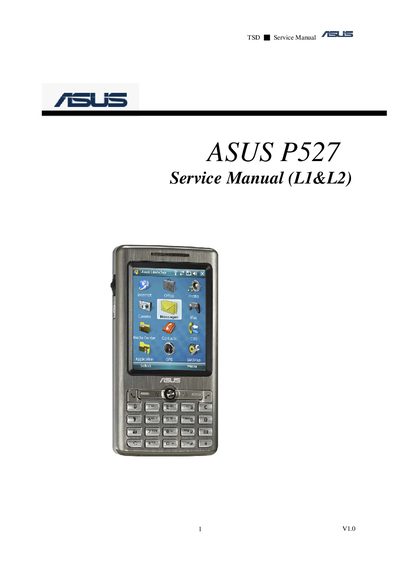
This service manual provides detailed information for servicing the ASUS P527 PDA, including an overview of its features, hardware specifications, and recommended tools. It is intended for qualified service personnel familiar with electronic assembly and troubleshooting.
The document includes step‑by‑step disassembly and assembly procedures, exploded diagrams, and functional tests such as LED, vibrator and reset button checks. Safety precautions and static protection guidelines are also provided.
| Operating System | Microsoft Windows Mobile 6 Professional |
|---|---|
| CPU | TI OMAP 850 (200 MHz) |
| Dimensions | 113 × 58 × 15.4 mm, 125 g |
| Battery | 1300 mAh Lithium‑Ion |
| Talk time | 4‑5 hours |
| Standby time | 150‑200 hours |
| Form Factor | Bar type with numeric keypad |
| Color | Dark Gray |
| Display | 2.6°, 65K, TFT, 240 × 320 |
| Connectivity | WLAN 802.11 b/g, Bluetooth 2.0+EDR, FM, USB |
| Memory | 128 MB Flash + 64 MB SDRAM |
| Expansion Slot | iMicro‑SD (SDHC supports) |
| GPS | IGPS (SiRF III Solution with internal antenna) |
| Camera | 2 Mega‑Pixel (Auto focus) |
| Audio formats | MP3, WMA, AAC |
| Video playback | MPEG‑4 / H.263 |
| Ringtone formats | MIDI and MP3 |
| Networking | GPRS Class B, Multi‑slot Class 10, GSM 850/900/1800/1900 |
You need an anti‑static mat with ground cord, an anti‑static wrist strap, a torque screw driver set to 1.2 kg‑cm, tweezers and a plastic blade.
Remove the SIM card and the USB charging cable, then observe the LED sequence; the test reports PASS or FAIL.
The device uses a 1300 mAh Lithium‑Ion battery.