
This manual introduces how to operate Pico Pocket projector, including installing battery, charging, power on, searching source, adjust volume, focus etc.
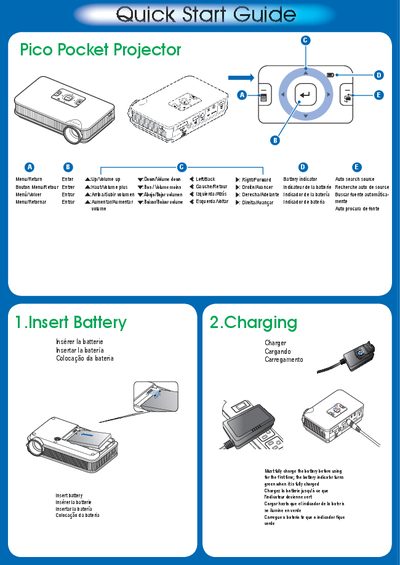
This guide explains how to prepare the Pico Pocket Projector for use, including charging the battery, turning the device on, and adjusting the focus to obtain a clear image. It also covers connecting external video sources such as VGA, HDMI, and iPhone/iPod/iPad, as well as displaying content from internal memory or a microSD card.
Step‑by‑step instructions are provided for each function, with notes on language selection, USB connection for software updates, and recommended video conversion tools when using PC or Mac. The guide includes safety reminders and troubleshooting tips for common issues like a blank screen.
| Supported video inputs | VGA, HDMI, iPhone/iPod/iPad |
|---|
Press the focus button and rotate the focus ring until the image becomes clear.
You can connect VGA, HDMI, or use an iPhone/iPod/iPad as a video source.