
This is a watch manual, which introduces the use of the watch, including the setting of time and date, alarm clock setting, stopwatch use, etc.
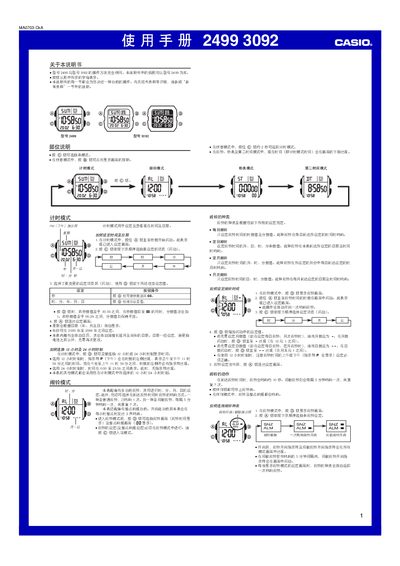
This manual explains how to operate the Casio 2499/3092 digital watches. It describes the time‑keeping mode, alarm mode, stopwatch mode, second‑time mode, backlight usage and other functions.
Each section provides step‑by‑step button instructions, setting ranges, and notes on automatic calendar, LED backlight and battery considerations. This manual is written in Chinese.
| Stopwatch display range | 23 h 59 min 59.99 s |
|---|---|
| Backlight type | LED with light guide plate |
| Year setting range | 2000‑2099 |
| Automatic calendar | Full‑automatic with leap‑year adjustment |
In time‑keeping mode, hold the A button until the seconds start flashing, then use the C and D buttons to select and change the desired fields.
Press the B button in any mode to light the display for about one second.