
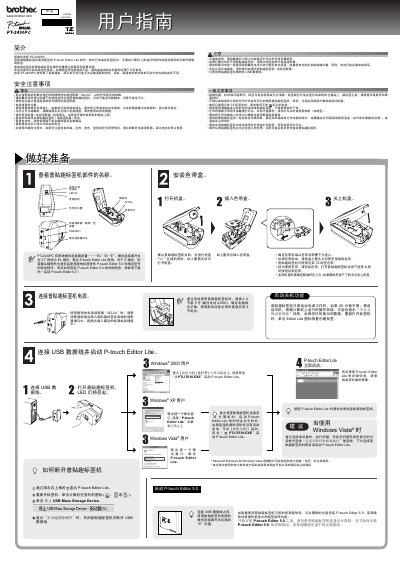
This manual provides safety precautions, installation steps, and operating instructions for the Brother PT-2430PC label maker. It explains how to install the TZ label tape, connect the device to a computer, and use the built‑in P‑touch Editor Lite software.
The guide also includes troubleshooting tips, battery and power‑adapter information, and technical specifications such as dimensions, weight, and supported operating systems. This manual is written in Chinese.
| Dimensions (W×L×H) | 67 mm × 188 mm × 111 mm |
|---|---|
| Weight (without battery and tape) | 570 g |
| Power source | AD‑24 AC adapter or 6 × LR06 alkaline batteries |
| Battery type | 6 × LR06 (AA) alkaline cells |
| USB port type | Mini‑USB B |
| Supported label tape widths | 3.5 mm, 6 mm, 9 mm, 12 mm, 18 mm, 24 mm |
| Operating system requirements | Windows 2000/XP/Vista |
| Minimum system memory | 128 MB (512 MB for Vista) |
| USB interface | USB 1.1 or 2.0 |
You can either turn the label maker off and on again, disconnect and reconnect the USB cable, or launch the program from My Computer.
Press the feed & cut button to clear the error; if it continues, contact Brother customer service.
Insert six new LR06 (AA) alkaline batteries, making sure all six are replaced at the same time and the polarity is correct.