
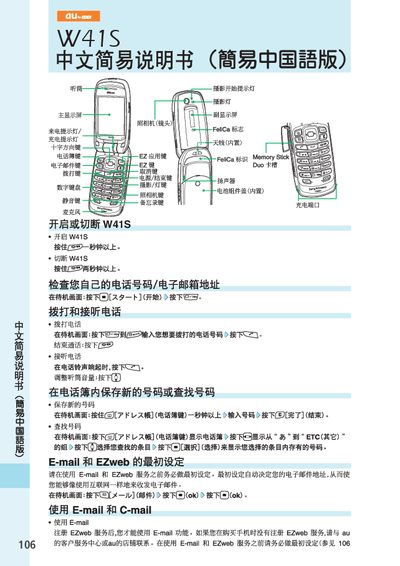
This manual explains how to make and receive calls, manage the phonebook, and use the built‑in email and EZweb services. It also covers basic phone functions such as silent mode, voice‑mail reception, and international dialing.
Additional sections describe how to operate the camera for photos and animations, send C‑mail, and browse the internet with EZweb. Each feature includes the required button presses and menu navigation for the au W41S handset. This manual is written in Chinese.
| Display | Main and sub display screens |
|---|---|
| Battery | Built‑in |
Hold the S key for more than one second on the standby screen to enable silent mode.