
This is a user manual for a mobile phone. It introduces the functions of turning on and off the phone, switching languages, making phone calls, receiving phone calls, storing and viewing phone book records, using the camera (animation and snapshots), and making international long-distance calls.
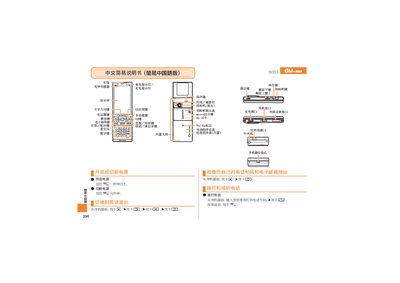
This manual provides step‑by‑step instructions for using the au S001 phone. It explains how to answer and end calls, make phone‑book entries, and manage mute and voice‑memo functions.
The guide also covers camera operations, including taking photos, recording animations, and switching between photo and animation modes, as well as information about the device’s built‑in antenna, speaker, flash, micro‑SD slot, infrared and charging ports. This manual is written in Chinese.
| Flash / Photography Lamp | Present |
|---|---|
| MicroSD Card Slot | micro8D卡村 |
When the phone rings, press the call button to answer.
From the standby screen, press the camera button to capture a photo.
Press and hold the mute key for about one second to activate mute.
Press and hold the voice memo key for about one second to start recording.