
Key facts
- Brand
- au by KDDI
- Model
- S001
- Category
- Cell Phones
- Industry
- Electronics
- Documents
- 2
- Languages
- ZH
- Last added
- 2012-03-28
Start here
au S001 Phone User Manual
User Manual 2 pages · 666 KB · ZH
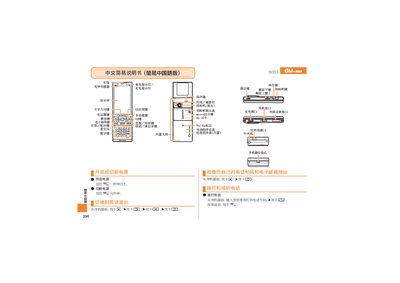
This manual provides step‑by‑step instructions for using the au S001 phone. It explains how to answer and end calls, make phone‑book entries, and manage mute and voice‑memo functions.
The guide also covers camera operations, including taking photos, recording animations, and switching between photo and animation modes, as well as information about the device’s built‑in antenna, speaker, flash, micro‑SD slot, infrared and charging ports. This manual is written in Chinese.
All au by KDDI S001 documents by type
User Manual 2
Day-to-day operation, settings and troubleshooting. Start here if the product is already set up.
Questions answered in these manuals
How do I answer an incoming call?
When the phone rings, press the call button to answer.
How can I take a photo?
From the standby screen, press the camera button to capture a photo.