
Philips CID2280 Car Entertainment System Quick Start Guide

This quick start guide introduces how to operate the Philips Soundbar 2.0 4000 series
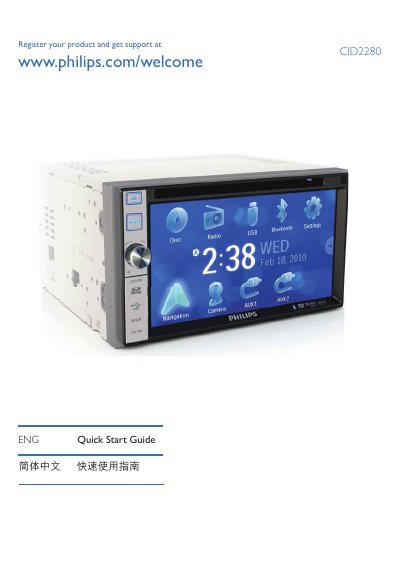

Philips CID2280 Car Entertainment System Quick Start Guide - cover page
Brand
Philips
Category
Car Speakers
Document type
Quick Start Guide
Language
English
Pages
8
File format
PDF
File size
1.7 MB
Published
27 March, 2012
Updated
30 September, 2023
Model
CID2280
MD5 checksum
980EF737AFDB95C47EA72CF45379CBDF

About this manual

The Philips CID2280 is a car entertainment system that provides video, audio, navigation, radio and Bluetooth phone functions. This guide helps users get the unit up and running quickly.

It covers turning the unit on and off, selecting language, adjusting screen brightness, setting date and time, using the navigation map, operating FM/AM radio, playing DVDs, CDs, USB and SD cards, pairing Bluetooth devices, and adjusting volume and equalizer settings.

What's inside

  • Power On and Off
  • Language Selection
  • Screen Brightness and Settings
  • Date and Time Configuration
  • Navigation System Use
  • Radio Operation
  • Media Playback (DVD, CD, USB, SD)
  • Bluetooth Pairing and Calls
  • Volume and Equalizer Adjustment

Specifications

Bluetooth device limitUp to 8 devices
SD card supportSupports SDHC cards
Default Bluetooth PIN0000

Frequently asked questions

How do I turn off the Philips CID2280 unit?

Press and hold the power button for 3 seconds.

What media formats can be played from a disc?

The unit can play DVD video, DVD‑R, DVD‑RW, VCD, Audio CD, CD‑R and CD‑RW discs.

Download PDF (1.7 MB)

More Philips Manuals


View all Philips manuals →