
This document is an introduction to Philips product registration and support, including the features and characteristics of the products.
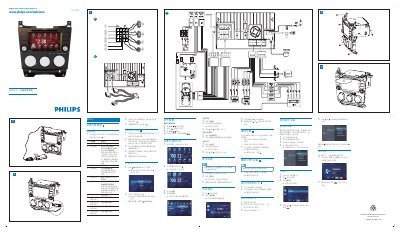
This guide explains how to install the navigation antenna and connect the device to the car’s audio system. It covers wiring the red, yellow, blue, green, and other colored wires, mounting the unit in the dashboard, and ensuring proper power connections.
It also describes how to adjust the screen, set date and time, use the map, listen to radio, play DVDs, CDs, USB or SD/MMC media, pair Bluetooth devices, access the phone book, and make calls. This manual is written in Chinese.
| Power supply | +12V |
|---|---|
| Bluetooth pairing capacity | Up to 8 devices |
| Supported media formats | DVD Video, DVD‑R, DVD‑RW, VCD, Audio CD, CD‑R, CD‑RW |
| Antenna control wire | Blue wire |
| Screen brightness adjustment | Press DISP/H button |
Connect the blue wire to the electric antenna control line; if the unit does not have an electric antenna or amplifier, the blue wire can be left unconnected.
Press the DISP/H button to display the brightness bar, tap the bar to adjust, and confirm with the DISP/H button.
Turn on Bluetooth on the device, search for "CID3688", select it, and enter the default password "0000" to complete pairing.