
The DVP 5150 DVD Video Player Quick Start Guide provides information on the contents of the package and basic connection and setup steps.
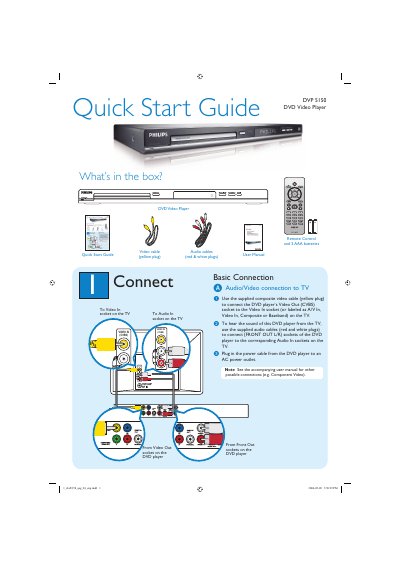
The guide lists the items included in the box—DVD player, remote control with two AAA batteries, a composite video cable, and audio cables—and explains how to connect the player to a TV using the supplied cables. It also covers powering the unit and points to the full user manual for additional connection options such as component video.
Setup instructions walk you through selecting the correct TV channel, configuring on‑screen language settings, and starting or stopping playback. A troubleshooting section provides quick checks for common issues like no power, no picture, no sound, or remote‑control problems.
Check the connection to the TV and make sure the plugs are firmly in place.