
This is a user guide for how to use the Philips phone.
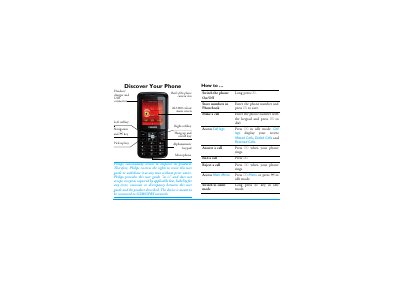
This manual guides Philips mobile phone owners through initial setup, including SIM and battery installation, power‑on procedures, and basic navigation using the alphanumeric keypad and soft keys. It also details how to make and receive calls, manage contacts, send SMS/MMS, and use multimedia functions such as the camera, audio player, and e‑book reader.
Additional sections cover phone settings (display, network, security), call handling features like mute, hands‑free, call waiting, and conference calls, as well as warranty information, regulatory compliance, and accessories. The guide is organized with a detailed table of contents for quick reference to each functional area.
| Network | GSM/GPRS |
|---|---|
| Screen | 262,000‑color main screen |
| Battery | Rechargeable battery |
| Keypad | Alphanumeric keypad |
Press and hold the ) key until the phone powers on.
Press the R SOS keys to dial the emergency number.
Open the L Option menu during a call and select the Mute (On/Off) function.