
This manual introduces the basic operations of Philips mobile phones, including power on/off, dialing, receiving calls, sending and receiving text messages, setting up the phone, etc.
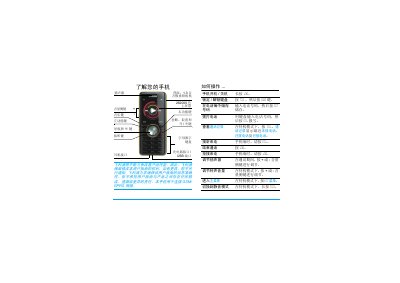
The guide introduces the phone’s hardware layout, basic operation steps such as powering on/off, inserting the SIM card and battery, and using the keypad and navigation keys. It also describes how to make and receive calls, manage the phone book, send messages, and use multimedia features like the camera and music player.
Additional sections cover network settings, volume control, silent mode, hands‑free operation, battery charging, micro‑SD card installation, warranty information, and environmental compliance. The manual ends with troubleshooting tips and customer service contacts. This manual is written in Chinese.
| Camera resolution | 1.3 megapixels |
|---|---|
| Micro‑SD card capacity | up to 2 GB |
| Battery charging time | approximately 3 hours |
| Network type | GSM / GPRS |
Press and hold the ) key for a few seconds to power on the phone.
Remove the back cover, take out the battery, align the cut‑corner of the SIM card with the slot, and insert it with the gold contacts facing down.
Press the + or – side keys to increase or decrease the speaker volume while on a call.
The phone supports a Micro‑SD card with a capacity of up to 2 GB.