
This document introduces the features and characteristics of the Huawei P50 Pro smartphone. The phone has a 6.67-inch OLED screen with a resolution of 2772×1236 pixels. The phone is powered by the Qualcomm Snapdragon 888 processor and has a main camera of 50 megapixels, supporting 50W wireless charging.
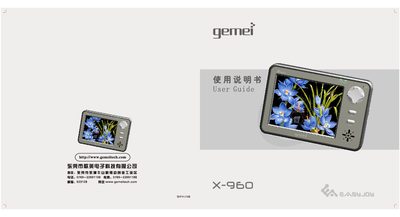
The Gemei X-960 is a portable media player equipped with GPS navigation. Before using the device, read the safety precautions and keep the guide for future reference. The manual explains how to power the device, charge the battery, and connect it safely to a computer.
The guide details all functional areas: audio and video playback, image viewing, recording, file management, SD/MMC card usage, system settings, firmware upgrades, and troubleshooting. It also lists the supported file formats and hardware specifications. This manual is written in Chinese.
| GPS Features | Precise positioning, nationwide maps, route planning, voice prompts |
|---|---|
| Video Format Support | AVI format MP4 video playback |
| Audio Format Support | MP3, WMA and other music formats |
| Animation Format Support | Macromedia Flash (SWF) up to Flash 8 |
| Audio Modes | Normal, Rock, Classical, Pop, etc. |
| Playback Modes | Random, all‑track, single‑track repeat |
| Recording Capability | MP3 compressed recording |
| Display | 3.5‑inch touch screen with handwriting support |
| SD/MMC Card Capacity | Up to 4 GB |
| USB Interface | USB 2.0 Full‑speed |
Press the RESET button on the right side of the device.
Click the safe‑removal icon in the system tray, then unplug the USB cable.
It supports MP3, WMA and other common music formats.
The device can handle SD/MMC cards up to 4 GB in capacity.