
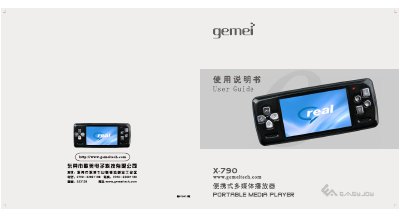
The Gemei X-790 is a portable multimedia player with a 3‑inch 16:9 TFT color screen. It supports video, audio, image, FM radio, e‑book, and game playback, as well as recording and SD/MMC storage up to 4 GB.
The guide explains how to charge the battery, connect the device to a PC, install drivers, use the on‑screen menus for music, video, games, FM radio, recording, and system settings, and provides troubleshooting tips for common issues such as power‑on problems, file transfer errors, and device freezes. This manual is written in Chinese.
| Screen | 3‑inch 1600万色 16:9 TFT HD |
|---|---|
| Maximum SD/MMC card capacity | 4 GB |
| Supported video formats | RM, RMVB, AVIFLV, MPG, MPEG, DAT |
| Maximum output power | 10 mW |
| Total harmonic distortion (THD) | ≤3 % |
The battery may be empty; charge the player first and then it will turn on.
Press the RESET button on the side of the device to restart it.
Click the USB safe‑remove icon in the Windows notification area and wait until the device is safely ejected before unplugging the cable.