
Key facts
- Manuals
- 16
- Models
- 3
- Categories
- 1
- Languages
- ZH
- Last added
- 2012-03-28
Gemei models by category
Featured Gemei manuals
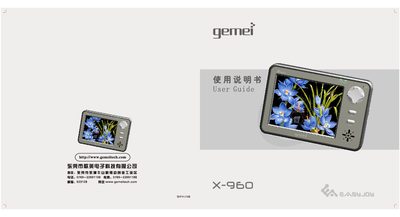
Gemei X-960 Portable Media Player User Manual
The Gemei X-960 is a portable media player equipped with GPS navigation. Before using the device, read the safety precautions and keep the guide for future reference. The manual explains how to power the device, charge the battery, and connect it safely to a computer.
The guide details all functional areas: audio and video playback, image viewing, recording, file management, SD/MMC card usage, system settings, firmware upgrades, and troubleshooting. It also lists the supported file formats and hardware specifications. This manual is written in Chinese.
Covers: Safety Precautions · Main Functions · GPS Functions · Audio Playback · Video Playback · Image Viewing
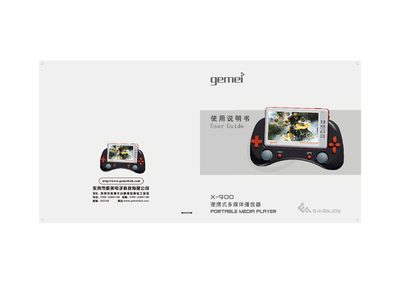
Gemei X-900 Multimedia Player User Manual
This manual explains how to set up the Gemei X-900, including inserting SD/MMC cards, connecting to a PC via USB, and updating firmware. It covers basic functions such as music, video, photo, FM radio, camera, and game playback, as well as system settings like backlight, screen saver, and battery management.
The guide also contains a troubleshooting section that addresses common issues like missing files, playback errors, power‑off problems, and USB connection failures, plus safety precautions for battery use and environmental conditions. This manual is written in Chinese.
Covers: User Guide · Troubleshooting · Main Functions · Music Playback Operation · Video Operation · Camera Operation
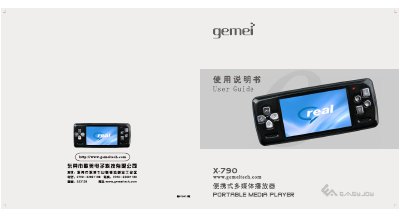
Gemei X-790 Multimedia Player User Guide
The Gemei X-790 is a portable multimedia player with a 3‑inch 16:9 TFT color screen. It supports video, audio, image, FM radio, e‑book, and game playback, as well as recording and SD/MMC storage up to 4 GB.
The guide explains how to charge the battery, connect the device to a PC, install drivers, use the on‑screen menus for music, video, games, FM radio, recording, and system settings, and provides troubleshooting tips for common issues such as power‑on problems, file transfer errors, and device freezes. This manual is written in Chinese.
Covers: Battery charging and PC connection · SD/MMC card usage · Product specifications · Music playback operation · Video playback operation · Game operation
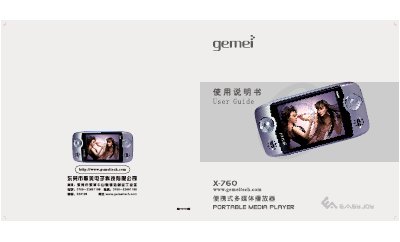
Gemei X-760 Portable Media Player User Manual
The Gemei X-760 is a portable multimedia player with a 3‑inch color screen, support for audio, video, games and FM radio. This manual explains how to charge the battery, connect to a PC, use SD/MMC cards, and navigate the device’s many functions.
It also provides detailed specifications, safety precautions, and troubleshooting tips to help users get the most out of the player and avoid common issues such as freezing, file loss, or playback problems. This manual is written in Chinese.
Covers: Battery charging and PC connection · SD/MMC card usage · Product specifications · Main functions overview · Music playback operation · Video playback operation
Latest Gemei manuals
gemei HD660 multimedia player Manual
The document contains information about the features and characteristics of the product.
gemei HD-717 player Manual
The document describes the features and characteristics of the products.
gemei HD717LE player Manual
This document introduces the features and functions of the Huawei MateBook X Pro 2022 notebook computer. This laptop features a 14.2-inch OLED display, an 11th-generation Intel Core i7 processor, 16GB of RAM, and a 512GB SSD. It also supports Huawei's HarmonyOS operating system.
gemei X-730 player Manual
This document introduces how to use Huawei Cloud Vision Service to recognize objects in video, including the names and quantities of objects in the video, as well as the objects' locations.
gemei X-750+ player Manual
Gemei X-960 Portable Media Player User Manual
User Manual 22 pages · 11.6 MB · ZHThis manual provides operating instructions, safety guidelines, and specifications for the Gemei X-960 portable media player with GPS.
Gemei X-900 Multimedia Player User Manual
User Manual 24 pages · 18.9 MB · ZHThe Gemei X-900 multimedia player user manual provides setup, operation, troubleshooting, and specifications for this portable device.
Gemei X-790 Multimedia Player User Guide
User Manual 20 pages · 10.8 MB · ZHUser guide for the Gemei X-790 multimedia player covering operation, setup, and troubleshooting.
Gemei X-760 Portable Media Player User Manual
User Manual 20 pages · 11.2 MB · ZHUser guide for the Gemei X-760 portable media player covering operation, specifications and troubleshooting.
Gemei X-750+ Multimedia Player User Guide
User Manual 17 pages · 9.1 MB · ZHThe Gemei X-750+ user guide explains safety, operation, file formats and troubleshooting for the portable multimedia player.
Gemei X-720 Portable Multimedia Player User Guide
User Manual 24 pages · 18.3 MB · ZHUser guide for the Gemei X-720 portable multimedia player covering operation, troubleshooting and specifications.
X-700 Multimedia Player User Manual
User Manual 22 pages · 15 MB · ZHThe X-700 multimedia player manual provides details on supported audio/video formats, USB and SD/MMC interfaces, and operation instructions.
Gemei X-650H Multimedia Player User Manual
User Manual 20 pages · 14.9 MB · ZHThe Gemei X-650H multimedia player user manual provides safety instructions, operation steps, supported formats, and troubleshooting tips.
Gemei X-600 Multimedia Player User Guide
User Manual 20 pages · 14.6 MB · ZHThis guide provides operation, troubleshooting, and specifications for the Gemei X-600 multimedia player.
Gemei X-21 Digital Audio Player User Guide
User Manual 24 pages · 14.7 MB · ZHUser guide for the Gemei X-21 digital audio player covering operation, settings, and troubleshooting.
Which document do I need?
User Manual
Day-to-day operation, settings and troubleshooting. Start here if the product is already set up.
Questions answered in Gemei manuals
How can I reset the player if it freezes?
Press the RESET button on the right side of the device.
What is the correct way to disconnect the player from a computer?
Click the safe‑removal icon in the system tray, then unplug the USB cable.
Why can't the player find stored files?
The player reads the storage card first; if the card is not inserted or not recognized, files will not be found.
How should I safely remove the USB connection?
Use the Windows safe‑remove hardware icon before unplugging the USB cable.
Why won't the device power on?
The battery may be empty; charge the player first and then it will turn on.
What should I do if the player freezes?
Press the RESET button on the side of the device to restart it.