
The ONDA VX818 series player is a professional high-quality MP3 player with a series of excellent performance, including support for multiple audio formats, firmware upgrade function, electronic books, drive-free U disk function, alien space disk mode, recording/rereading, 7 kinds of sound equalizer, multiple playback modes, and sleep mode.
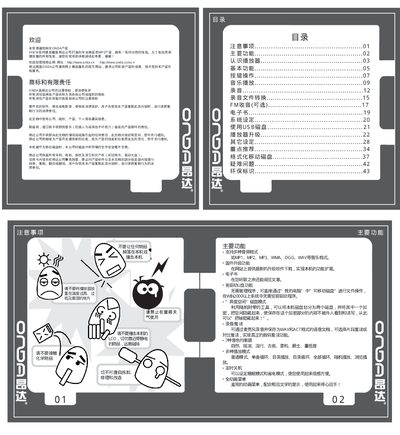
This manual guides users through operating the ONDA VX818 Series MP3 player, including music playback, recording, FM radio (if applicable), e-book reading, and system settings. It details button functions, menu navigation, and special features like encrypted disk modes and SRS audio. Safety warnings and usage precautions are also included.
The player supports multiple audio formats, USB mass storage, firmware upgrades, and various playback modes. Users can adjust volume, set timers, and manage files via USB. Recording options include WAV and ACT formats with playback and pause functions. The manual also covers troubleshooting and environmental precautions. This manual is written in Chinese.
| Audio Formats | MP1, MP2, MP3, WMA, OGG, WAV |
|---|---|
| Recording Formats | WAV, ACT |
| Equalizer Modes | Natural, Rock, Pop, Classical, Soft, Jazz, Bass |
| Playback Modes | Normal, Single Loop, Folder Play, Folder Loop, All Loop, Random, Browse |
| USB Function | Plug-and-play, no driver required |
Connect headphones, ensure keyboard lock is off, press and hold Play to start, then press Play to begin playback.
Yes, you can record in WAV or ACT formats, with pause and resume options, and choose between quality or long-duration modes.
Seven EQ modes: Natural, Rock, Pop, Classical, Soft, Jazz, and Bass.
Download the latest firmware from the ONDA website and follow the upgrade instructions.