
This document is the manual for Onda VX989+ player, which introduces the features of the player, including supported audio, video, picture formats, supported games, functions, etc.
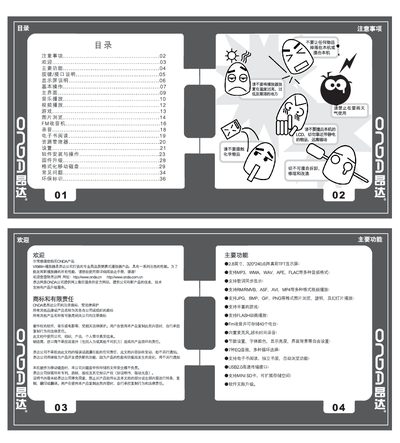
This manual explains how to operate the ONDA VX989+ portable media player, covering basic functions such as power on/off, key locking, media playback, FM radio, e‑book reading, and recording. It also details how to connect the device to a computer via USB, manage files on the internal memory or Mini SD card, and perform firmware upgrades.
Additional sections describe the device’s settings (screen brightness, theme, power‑off timer), battery charging specifications, formatting the internal storage, and a troubleshooting guide for common issues like no sound, button lock, or firmware upgrade failures. This manual is written in Chinese.
| Display | 2.8‑inch 320×240 TFT color screen |
|---|---|
| Supported Audio Formats | MP3, WMA, WAV, APE, FLAC |
| Supported Image Formats | JPG, BMP, GIF, PNG |
| Mini SD Card Capacity | 128 MB – 2 GB |
| USB Interface | USB 2.0 high‑speed transfer |
| Battery | High‑capacity lithium battery |
| Charging Specification | 5 V / 500 mA |
Press and hold the Play key for 5 seconds to power off the device.
Copy the firmware file to the player’s root directory, then press the MODE key toward “‑” while turning the power switch from OFF to ON; the player will enter the upgrade interface automatically.
Connect the player to a PC via USB, right‑click the removable disk representing the player, and choose “Format”.