
Key facts
- Manuals
- 50
- Models
- 7
- Categories
- 4
- Languages
- ZH
- Last added
- 2026-09-30
ONDA models by category
Featured ONDA manuals
ONDA P67H/P61H User Manual
This manual covers everything you need to set up the ONDA P67H/P61H motherboard, including packaging verification, a product overview, detailed specifications, step‑by‑step installation, BIOS configuration, and driver installation instructions.
Key features of the board are an Intel H67/H61 chipset, LGA1155 socket supporting Core i3/i5/i7 CPUs, up to 16 GB DDR3 memory, six SATA ports, HDMI and DVI video outputs, a 6‑channel HD audio codec, Gigabit Ethernet, and an ATX form factor with multiple PCI‑Express slots. This manual is written in Chinese.
Covers: Packaging · Overview · Motherboard Diagram · Installation and Setup · BIOS Settings · Driver Installation
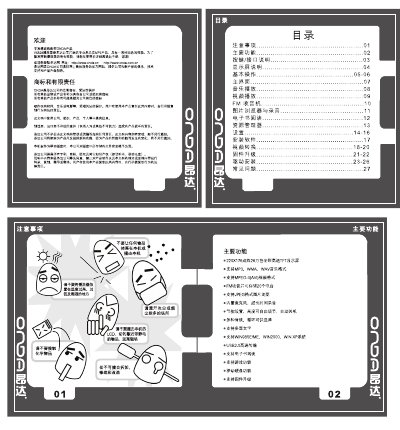
ONDA VX828 MP3 Player User Manual
This manual introduces the VX828 MP3 player, describing its key functions such as music playback, video playback, FM radio, image browsing, recording, and e‑book reading. It also details the button layout, interface connections, and how to connect the device to a computer via USB for data transfer and firmware upgrades.
The guide provides step‑by‑step instructions for using the main menu, adjusting settings (display, sound, language, power‑saving), and handling common issues like power‑on problems, audio glitches, and FM reception. A troubleshooting section at the end helps users resolve typical faults. This manual is written in Chinese.
Covers: 按键/接口说明 · 主界面 · 图片浏览与录音 · 设置 · 常见问题的处理
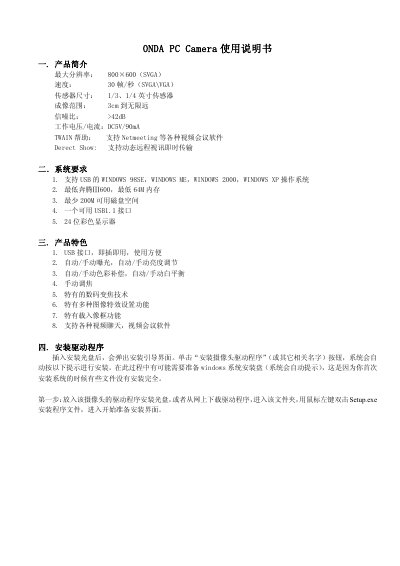
ONDA PC Camera User Manual
The manual introduces the ONDA PC Camera, highlighting its 800×600 (SVGA) maximum resolution, 30 fps frame rate, 1/3‑ or 1/4‑inch sensor, and DC5V/90 mA power consumption. It also lists system requirements such as Windows 98SE/ME/2000/XP, a Pentium III 600 MHz CPU, 64 MB RAM, 200 MB free disk space, and a USB 1.1 port.
Installation steps guide the user to insert the driver CD (or download the driver), run Setup.exe, and follow the on‑screen prompts. Subsequent sections cover camera setup, focus adjustment, video capture settings, digital zoom, image effects, and precautions for safe use. This manual is written in Chinese.
Covers: Product Overview · System Requirements · Features · Driver Installation · Settings and Calibration · Video Recording
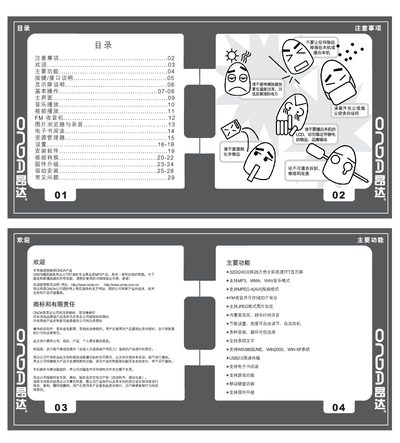
ONDA VX979 MP3 Player User Manual
This manual covers all functions of the ONDA VX979 MP3 player, including music playback, video playback, FM radio, image browsing, e‑book reading, recording, and built‑in games. It explains button and interface operations, power management, USB connectivity, and how to install the supplied driver software.
Additional sections describe system settings such as language selection, display brightness, EQ presets, FM station storage, and firmware upgrade procedures, followed by a troubleshooting guide for common issues like power failure, no sound, or display errors. This manual is written in Chinese.
Covers: 按键/接口说明 · 主界面 · 视频播放 · 音乐播放 · FM收音机 · 图片浏览与录音
Latest ONDA manuals
ONDA P67H/P61H User Manual
User Manual 40 pages · 2.2 MB · ZHThe ONDA P67H/P61H User Manual provides packaging details, overview, specifications, installation, BIOS settings, and driver installation for the motherboard.
ONDA OTV1000 Manual
ONDA VX828 MP3 Player User Manual
User Manual 7 pages · 14.9 MB · ZHThe ONDA VX828 MP3 player user manual explains operation, settings, and troubleshooting in Chinese.
ONDA PC Camera User Manual
User Manual 13 pages · 968 KB · ZHThe ONDA PC Camera User Manual provides product overview, system requirements, driver installation, and configuration instructions for Windows USB cameras.
ONDA VX979 MP3 Player User Manual
User Manual 8 pages · 16.6 MB · ZHThe ONDA VX979 MP3 player user manual provides operating instructions, feature descriptions, and troubleshooting for this portable media device.
ONDA K8T800V Motherboard User Manual
User Manual 42 pages · 2.6 MB · ZHThe ONDA K8T800V motherboard user manual provides installation steps, BIOS configuration, and hardware specifications for the ATX board.
ONDA K8T890T Motherboard User Manual
User Manual 43 pages · 1.7 MB · ZHThe ONDA K8T890T motherboard user manual provides installation, BIOS setup, and driver instructions for the ATX board.
ONDA VX 969 MP3 Player User Manual
User Manual 31 pages · 591 KB · ZHThe ONDA VX 969 MP3 player manual explains controls, playback functions, FM radio, USB connection and technical specifications.
ONDA VX959 MP3 Player User Manual
User Manual 26 pages · 428 KB · ZHThe ONDA VX959 MP3 player user manual provides operating instructions, feature descriptions, and troubleshooting tips.
ONDA VX898 MP3 Player User Manual
User Manual 11 pages · 3.5 MB · ZHThe ONDA VX898 MP3 player user manual provides operating instructions, feature descriptions, and maintenance guidance.
ONDA VX777 Portable Media Player User Manual
User Manual 9 pages · 4.4 MB · ZHThe ONDA VX777 portable media player manual provides setup, operation, and troubleshooting instructions for the device.
ONDA VX767 Series Portable Media Player User Manual
User Manual 9 pages · 5.5 MB · ZHThe ONDA VX767 series portable media player manual provides operating instructions, feature overviews, and troubleshooting tips.
ONDA VX757 Series Player User Manual
User Manual 9 pages · 3.4 MB · ZHThe ONDA VX757 series portable media player user manual provides operating instructions, settings, and troubleshooting.
ONDA VX747 Portable Media Player User Manual
User Manual 9 pages · 5 MB · ZHThe ONDA VX747 portable media player user manual provides setup, operation, and troubleshooting instructions.
ONDA VX-505 MP3 Player Manual
User Manual 67 pages · 9.5 MB · ZHThe ONDA VX-505 MP3 Player Manual provides setup, operation, and specifications for the portable music player.
Which document do I need?
User Manual
Day-to-day operation, settings and troubleshooting. Start here if the product is already set up.
Questions answered in ONDA manuals
How do I clear the CMOS jumper?
Power off the system, then short the CMOS jumper pins 2 for 5‑6 seconds.
What CPU socket does the motherboard use?
It uses an LGA1155 socket that supports Intel Core i3, i5, and i7 processors.
Why won't the player turn on?
Check whether the battery is depleted, connect the power adapter and try again; if it still does not power up, contact customer support.
Why is there no sound from the headphones?
Make sure the volume is not set to zero and verify that the headphone plug is properly connected.
Which Windows operating systems are supported?
The camera works with Windows 98SE, Windows ME, Windows 2000, and Windows XP.
How do I install the camera driver?
Insert the driver CD (or download the driver), double‑click Setup.exe, and follow the installation wizard prompts.