
This document is the user manual for Haier HG-X66 phone. It introduces the methods for using the phone's power on, power off, charging, volume adjustment, changing ringtone, redialing the last used number, dialing phone, and answering phone.
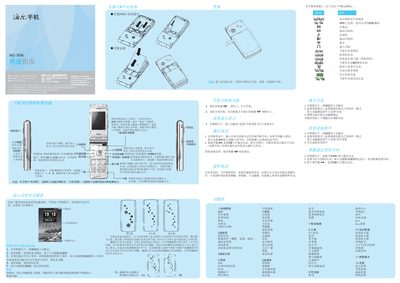
This guide explains how to use the navigation keys, make and receive calls, send messages, and operate the camera, music player, and other multimedia functions. It shows how to access menus, select SIM cards, and use the quick‑access shortcuts in standby mode.
Additional sections cover input methods, safety and maintenance advice, battery charging procedures, SAR information, and contact details for Haier support. The guide also includes instructions for language selection, volume adjustment, and using the built‑in applications such as the calculator, calendar, and internet browser. This manual is written in Chinese.
| SAR (Maximum) | 0.372 W/kg |
|---|
Press the dialing key, select the SIM card, and then press the dialing key again to place the call.
In standby mode, short‑press the up or down side keys to increase or decrease the volume.
The maximum SAR value is 0.372 W/kg, complying with national standards.