
This instruction manual explains how to use the new functions of Ver. 1.10. It also describes how to update the firmware (internal software) of your PDR-M700.
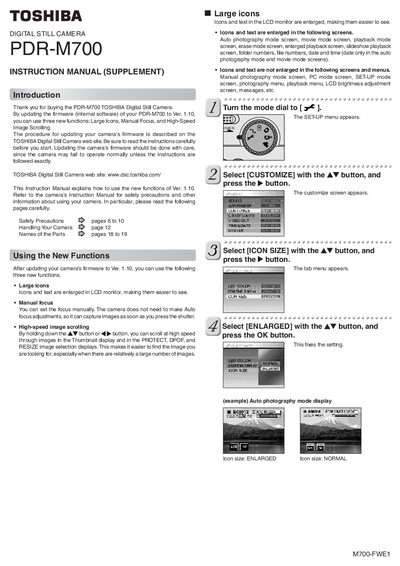
The Instruction Manual Supplement for the Toshiba PDR‑M700 digital still camera provides guidance on three new functions introduced with firmware version 1.10: Large Icons, Manual Focus, and High‑Speed Image Scrolling. It assumes you have already updated the camera’s firmware following the instructions on the Toshiba Digital Still Camera website.
The supplement details how to enable each function via the camera’s SET‑UP menu, describing the required button sequences and the visual changes you will see on the LCD monitor. It also notes safety precautions and reminds users to refer to the main Instruction Manual for general operating information.
Open the SET‑UP menu, select ICON SIZE, and choose ENLARGED; the icons and text on the LCD monitor will be enlarged.
Select the FOCUS option, choose MF (Manual Focus), and press OK; a manual focus icon appears and you can adjust focus with the Tele or Wide buttons.
In the Thumbnail, PROTECT, DPOF, or RESIZE display, hold down the AW button or the <> button to scroll images at higher speed.