
This manual describes the operation of the 3079 watch, including setting the time and date, summer time, e-DATA MEMORY mode, world time mode, alarm mode, countdown timer mode, and stopwatch mode
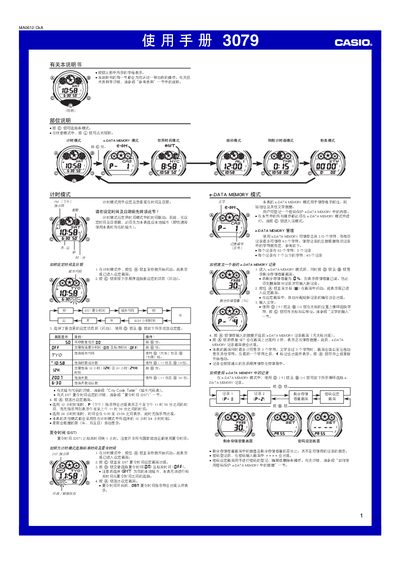
This manual provides step‑by‑step instructions for operating the Casio 3079 watch. It covers setting the time and date, configuring world‑time cities, programming alarms, using the countdown timer, stopwatch, and the e‑DATA MEMORY for storing notes and passwords.
The guide also describes the watch’s lighting system, including manual and automatic illumination, and explains how to edit characters, manage the character list, and troubleshoot common issues. This manual is written in Chinese.
| e‑DATA MEMORY capacity | 315 characters total |
|---|---|
| Year setting range | 2000‑2039 |
| Automatic illumination timeout | ≈6 hours |
Enter the setting screen by holding the @ button until the seconds start flashing, then use the @ and @@ buttons to change the hour, minute, year, month and day as described.
Enter e‑DATA MEMORY mode, press @ and @@ to select a record, then use the @ (十) and @@ keys to edit characters. Up to 315 characters can be stored across multiple records.
Press and hold the (U) button for about one second to toggle automatic illumination on or off; it will turn off automatically after roughly six hours of use.