
This manual describes the operation methods of the 5134 watch, including the setting of digital time and date, the setting of daylight saving time, the selection of the city name where the watch is usually used, the selection of 12/24 hours, and the selection of the illumination duration.
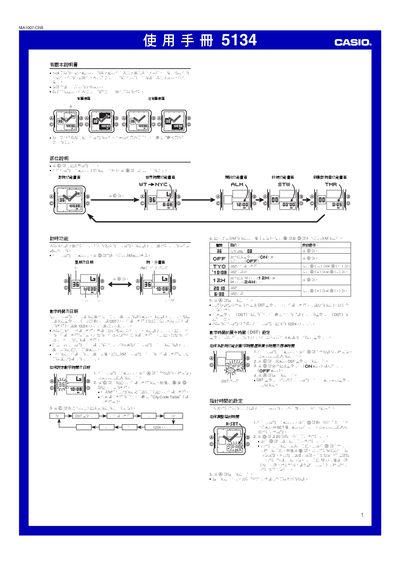
This manual describes the operation of the Casio 5134 digital‑analog watch. It covers time‑setting procedures, selection of 12‑hour or 24‑hour formats, city‑code based world‑time, daylight‑saving adjustments, and automatic calendar functions.
It also explains the use of the stopwatch, countdown timer, daily alarm, hourly chime, and LED backlight, together with button functions for navigating and editing settings. This manual is written in Chinese.
| Accuracy (normal temperature) | ±30 seconds per month |
|---|---|
| Digital time display | hour, minute, second, PM indicator, date, weekday |
| Time format | 12‑hour or 24‑hour selectable |
| Calendar range | 2000‑2099 (full‑auto calendar) |
| Backlight | LED |
| Battery | Two silver‑oxide cells (model SR726W) |
| Stopwatch resolution | 1/100 second |
| Timer range | 1 minute to 24 hours (set in 1‑minute steps) |
Enter the time‑setting screen, press and hold the @ button until the seconds start flashing, then use the + and – buttons to adjust hour, minute and other fields, and press @ again to exit.
Press and hold the @@ button (or press @@ in any function screen except the setting screens) to illuminate the display.