
This product is a D series temperature controller produced by Delta. It supports PID control and manual output control. The input types include thermocouples and platinum resistance thermometers. The output types include relays and voltage pulses.
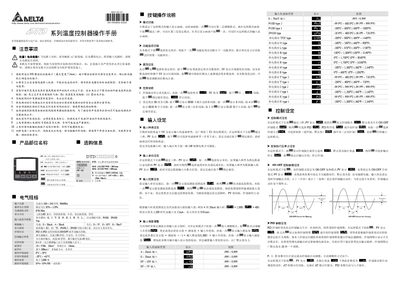
This user manual provides safety warnings and installation guidelines for Delta's DTD Series temperature controllers. It details wiring requirements, environmental conditions, and operational modes including PID, ON/OFF, and manual control. Safety precautions are emphasized, including electrical hazards and proper handling during installation and maintenance.
The manual also explains how to configure settings such as sensor types, control modes, hysteresis, and PID parameters. It includes technical specifications for power, input/output, and environmental tolerances, ensuring correct operation in industrial applications. This manual is written in Chinese.
| Input Power | AC 100 ~ 240 V, 50/60Hz |
|---|---|
| Operating Voltage Range | 85% ~ 110% of rated voltage |
| Power Consumption | 6VA Max. |
| Display Type | Seven-segment LED (Red for PV, Green for SV) |
| Control Methods | PID, PID Process, ON/OFF, or Manual |
| Sampling Period | 0.4 seconds |
| Operating Temperature | 0°C ~ 50°C |
| Storage Temperature | -20°C ~ +65°C |
| Operating Humidity | 35% ~ 85% RH (non-condensing) |
Supports thermocouples (K, J, T, E, N, R, S, B, U, L, TXK) and platinum resistance thermometers (Pt100, JPt100).
In operation mode, long press to enter setup mode. Use keys to select PID, ON/OFF, or manual control modes.
The default control cycle is 20 seconds per cycle.