
This document is an instruction sheet for the installation and use of the KPE-LE02 digital keypad. The digital keypad is used for the VFD-E series AC drives and features functions such as displaying frequency, output current, and run status. Please read this document carefully and follow the instructions for installation and use.
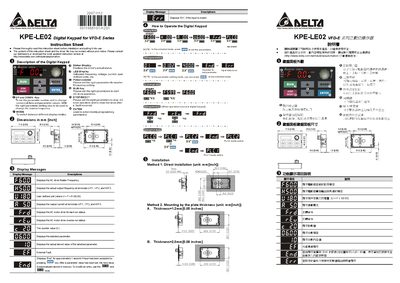
The manual describes the digital keypad KPE‑LE02, including its status LED display, potentiometer for master‑frequency setting, RUN key to start AC drive operation, and MODE key for switching display modes. It also lists the display messages that show drive status, frequency, voltage, current, and user‑defined units.
Two installation methods are covered: direct mounting and mounting using plate thickness, with dimensions and mounting hole specifications provided. The document also explains how to set parameters, reset the drive, and use the keypad in PLC mode. This manual is written in Japanese.
| Dimensions (mm) | 71.9 x 2.83 x 259 |
|---|
Set the required parameters and press the RUN key.
Press the MODE key to change the display mode.