
This document describes the usage of the 3358/3368 model manual. The watch has various functions, including setting time, date, daylight saving time, local city code, 12/24-hour format, etc. Additionally, the watch has features such as stopwatch, world time, countdown timer, alarm, and pointer setting.
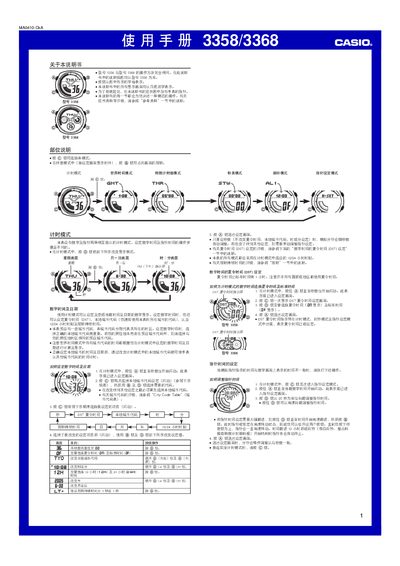
This manual covers the operation of the Casio 3358/3368 digital watch. It describes each mode—Timer, World Time, Countdown Timer, Stopwatch, Alarm, and Hand‑setting—along with button functions and display conventions.
Key features include daylight‑saving time (DST) switching, selectable city codes, automatic illumination, and customizable alarm sounds. The guide provides step‑by‑step instructions for configuring each function and troubleshooting common issues. This manual is written in Chinese.
| Year setting range | 2000–2039 |
|---|---|
| Stopwatch display limit | 59 minutes 59.99 seconds |
| World time cities supported | 27 cities (29 time zones) |
| Lighting duration options | 1 second or 3 seconds |
Enter the timer mode, press and hold the A button until the seconds digits flash, then use the B and D buttons to adjust the time and date.
While in timer mode, press the A button to enter the DST setting screen, then press D to toggle between DST (ON) and standard time (OFF).
Enter alarm mode, use the D button to select the desired alarm screen (AL1‑AL4 or SNZ), press and hold A to start editing the hour, then use C, D, and B to set the time.