
Key facts
- Brand
- OHAUS
- Model
- EN-1
- Documents
- 2
- Languages
- EN
- Last added
- 2023-10-16
Start here
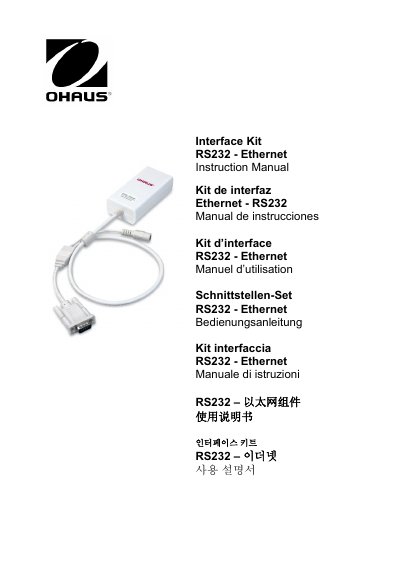
OHAUS EN-1 RS232-Ethernet Interface Kit Instruction Manual
The OHAUS RS232-Ethernet Interface Kit (Model EN-1) is a unique solution designed to allow users to connect a balance with an RS232 interface directly to an Ethernet network. The kit includes specific requirements for the Ethernet and RS232 interfaces, detailing connector types like RJ-45 and DB9 male, as well as technical data regarding operating temperature, humidity limits, and power input.
Read onlineOHAUS EN-1 specifications
| Operating Temperature | 0 to 40° C |
|---|---|
| Storage Temperature | -10 to 55° C |
| Power Input | 12VDC 0.5A |
| Altitude Limit | Up to 2000 m |
| Default IP Address | 169.254.1.1 |
Source: OHAUS EN-1 RS232-Ethernet Interface Kit Instruction Manual
All OHAUS EN-1 documents by type
Day-to-day operation, settings and troubleshooting. Start here if the product is already set up.
Questions answered in these manuals
What are the default login credentials for the interface?
The default user name is 'ohaus' and the password is also 'ohaus'.
From: OHAUS EN-1 RS232-Ethernet Interface Kit Instruction Manual
How do I reset the factory configuration if I lose the IP address?
Power off the kit, short Pin 1 of the RS232 connector to the shield for 5 seconds while powering on, then remove the connection.
From: OHAUS EN-1 RS232-Ethernet Interface Kit Instruction Manual
Which scales is this Ethernet interface kit compatible with?
This Ethernet interface kit is for use with the Ohaus Navigator Series Scales only.
What is the default port number for the Ethernet connection?
The default port number for the Ethernet connection is 9761.