
Key facts
- Brand
- OHAUS
- Model
- CD-11
- Category
- Industrial Robot
- Documents
- 3
- Languages
- EN
- Last added
- 2023-10-16
Start here
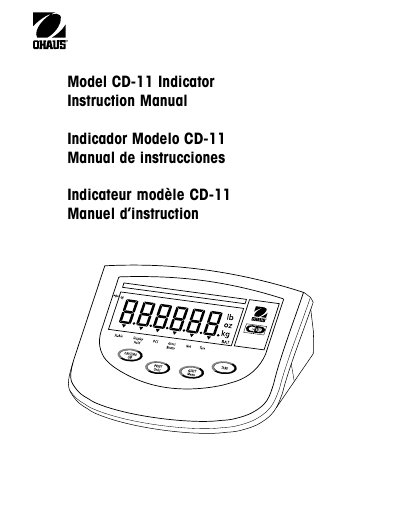
Ohaus CD-11 Indicator User Manual
The Ohaus CD-11 is a digital indicator designed for use with approved load cells in non-automatic weighing applications. It features multiple operational modes including gross/net/tare recall, parts counting, average piece weight (APW) establishment, and various display hold functions to assist in accurate measurement tasks.
This guide covers the complete lifecycle of the device, from unpacking and initial setup to daily operation and troubleshooting. Key sections include detailed instructions for connecting the RS232 interface, configuring load parameters via the menu system, performing legal-for-trade (LFT) calibration and sealing procedures, and identifying error codes.
Ohaus CD-11 specifications
| Applicable Standard (Low Voltage) | EN60950-1:2001 |
|---|---|
| Applicable Standard (EMC) | EN61326-1: 1997 + A1:98 + A2:01 +A3:03 |
| Quality Standard | ISO 9001:2000 |
All Ohaus CD-11 documents by type
Day-to-day operation, settings and troubleshooting. Start here if the product is already set up.
Questions answered in these manuals
What type of weighing instruments is this indicator approved for?
It applies only to certified non-automatic weighing instruments.
Can the instrument be used immediately after manufacture verification?
Yes, if it bears a green 'M' (metrology) sticker on the descriptive plate.
What is the maximum capacity of the CD-11 Indicator?
The CD-11 Indicator provides capacity selections up to 20,000 lb/kg.
How many load cells can the CD-11 drive?
The indicator can drive up to four 350 ohm load cells.
How many load cells can the CD-11 indicator support?
It supports up to four 350 ohm analog load cells.
What power options are available for the CD-11 indicator?
It can be powered by an AC adapter (120/230 V) or six alkaline C‑type batteries.