
Key facts
- Brand
- Mercury
- Model
- MP6
- Category
- Router
- Industry
- Electronics
- Documents
- 2
- Languages
- ZH
- Last added
- 2026-11-20
Start here
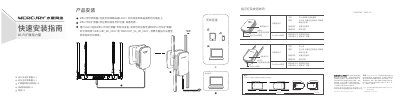
Mercury MP6 Wi-Fi Extender Quick Start Guide
This is the quick start guide for the Mercury MP6 Wi-Fi extender (signal converter). It describes package contents, product installation, indicator lights, and the Pair/Reset button.
Setup uses the melogin.cn management page to set a login password and configure the 2.4G and 5G wireless networks. The guide also includes the warranty statement and the toxic and hazardous substances table. This manual is written in Chinese.
Mercury MP6 specifications
| Input voltage | 100-240V ~ 50/60Hz 0.3A |
|---|---|
| Management page | melogin.cn |
| Default SSID | MERCURY_RE_XXXX; MERCURY_5G_RE_XXXX |
| Admin password length | 6-15 characters |
All Mercury MP6 documents by type
The shortest path to a working setup, usually only a few pages.
Day-to-day operation, settings and troubleshooting. Start here if the product is already set up.
Questions answered in these manuals
How do I restore the Mercury MP6 extender to factory settings?
Press and hold the Pair/Reset button for more than 8 seconds.
What is the management page address for the Mercury MP6?
Enter melogin.cn in a browser to open the management page.
How do I reset the device to factory settings using the button?
Press and hold the Pair/Reset button for more than 8 seconds to restore factory settings.
From: Mercury MP61/MP60 Wi-Fi Extender Quick Installation Guide
What are the default wireless network names (SSID) for this extender?
The default SSIDs are MERCURY_RE_XXXX or MERCURY_5G_RE_XXXX.
From: Mercury MP61/MP60 Wi-Fi Extender Quick Installation Guide