
Key facts
- Brand
- Mercury
- Model
- MW150US
- Category
- Other Computer Accessories
- Industry
- Computers
- Documents
- 2
- Languages
- ZH
- Last added
- 2026-10-17
Start here
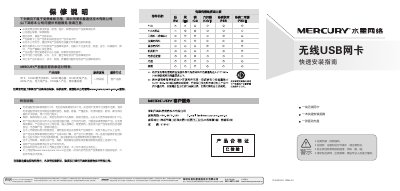
Mercury MW150US USB Wireless Network Card Installation Guide
This guide explains how to install the Mercury MW150US USB wireless network card. The hardware installation is simple: insert the card into the appropriate slot without powering off the computer. The software installation uses the supplied driver CD, which launches an automatic installer that completes in about a minute.\n\nAfter the driver is installed, the guide shows how to configure the wireless connection, including selecting a network, entering passwords for encrypted networks, and confirming a successful connection. The document also includes safety warnings and warranty information. This manual is written in Chinese.
Read onlineAll MERCURY MW150US documents by type
Day-to-day operation, settings and troubleshooting. Start here if the product is already set up.
The shortest path to a working setup, usually only a few pages.
Questions answered in these manuals
What is the model number of this network adapter?
The manual uses MW150US as an example for the product.
How long does the wireless USB card installation process take?
The installation process takes approximately one minute.
How do I install the hardware for the MW150US?
Insert the card into the correct slot without turning off the computer; no power‑down is required.
From: Mercury MW150US USB Wireless Network Card Installation Guide
How can I connect to an encrypted wireless network?
When prompted, enter the network password and click “Confirm” to complete the connection.
From: Mercury MW150US USB Wireless Network Card Installation Guide