
Key facts
- Brand
- Mercury
- Model
- 7108502247
- Category
- Other Electronics
- Industry
- Electronics
- Documents
- 2
- Languages
- ZH
- Last added
- 2026-10-24
Start here
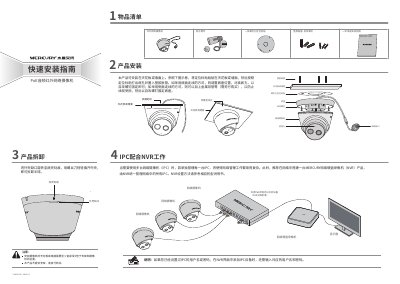
MERCURY 7108502247 PoE Audio IR Network Camera Quick Installation Guide
This document serves as a quick installation guide for the MERCURY 7108502247 PoE audio IR network camera. It details the product contents, installation steps for ceiling or wall mounting, and instructions for disassembly. The guide also explains how to configure the camera to work with an NVR or a computer within a local area network (LAN). This manual is written in Chinese.
Read onlineAll MERCURY 7108502247 documents by type
The shortest path to a working setup, usually only a few pages.
Mounting, wiring and first power-up. Read it before the hardware goes in.
Questions answered in these manuals
What is the default IP address for the camera's web management interface?
The default management address for the IPC is 192.168.1.60.
From: MERCURY 7108502247 PoE Audio IR Network Camera Quick Installation Guide
What are the default login credentials for the camera's web interface?
The default username is admin and the password can be left empty.
From: MERCURY 7108502247 PoE Audio IR Network Camera Quick Installation Guide
What is the default IP address to access the camera's web management interface?
The default management address is 192.168.1.60.
From: MERCURY 7108502247 PoE Audio IR Network Camera Quick Installation Guide
What is the default username for the first login to the camera?
The default username is admin.
From: MERCURY 7108502247 PoE Audio IR Network Camera Quick Installation Guide