
Mercury MP61/MP60 Wi-Fi Extender Quick Installation Guide

This quick installation guide covers the setup, indicator status, and wireless configuration for the Mercury MP61 Wi-Fi extender and MP60 signal converter.
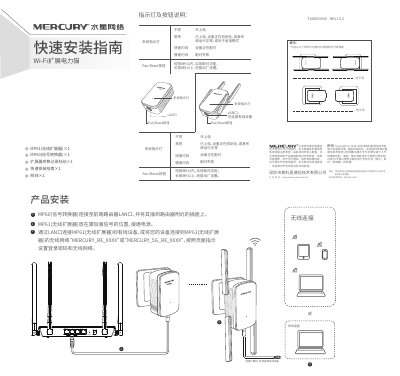

Mercury MP61/MP60 Wi-Fi Extender Quick Installation Guide - cover page
Brand
Mercury
Category
Other Computer Accessories
Document type
User Manual
Language
Chinese
Pages
2
File format
PDF
File size
1.8 MB
Published
27 October, 2026
Updated
27 October, 2026
MD5 checksum
FEEFA569660D553A72D5087465E921B2

About this manual

This document serves as a quick installation guide for the Mercury MP61 (Wireless Extender) and MP60 (Signal Converter). It details the physical connection steps between the devices and the router, explains the meaning of system indicator lights and button functions, and provides instructions for configuring wireless settings via the management interface. This manual is written in Chinese.

What's inside

  • Product Installation
  • Indicator & Button Description
  • Wireless Connection Setup
  • Wired Device Connection
  • Management Page Access

Frequently asked questions

How do I reset the device to factory settings using the button?

Press and hold the Pair/Reset button for more than 8 seconds to restore factory settings.

What are the default wireless network names (SSID) for this extender?

The default SSIDs are MERCURY_RE_XXXX or MERCURY_5G_RE_XXXX.

Download PDF (1.8 MB)

More Mercury Manuals


View all Mercury manuals →