
The Mercury MP6 quick start guide covers installation, indicator lights, pairing, connection, melogin.cn setup, and warranty for the Wi-Fi extender.
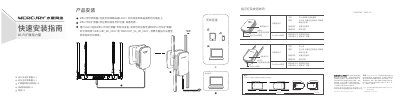
This is the quick start guide for the Mercury MP6 Wi-Fi extender (signal converter). It describes package contents, product installation, indicator lights, and the Pair/Reset button.
Setup uses the melogin.cn management page to set a login password and configure the 2.4G and 5G wireless networks. The guide also includes the warranty statement and the toxic and hazardous substances table. This manual is written in Chinese.
| Input voltage | 100-240V ~ 50/60Hz 0.3A |
|---|---|
| Management page | melogin.cn |
| Default SSID | MERCURY_RE_XXXX; MERCURY_5G_RE_XXXX |
| Admin password length | 6-15 characters |
Press and hold the Pair/Reset button for more than 8 seconds.
Enter melogin.cn in a browser to open the management page.
The default SSIDs are MERCURY_RE_XXXX and MERCURY_5G_RE_XXXX.
The power adapter warranty exchange period is 1 year.