
Key facts
Start here
Mercury D268G Wireless Router User Manual
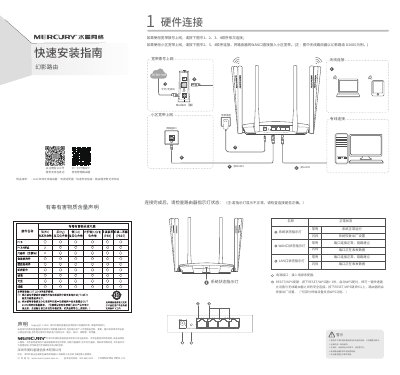
The document serves as a user guide for the Mercury D268G wireless router. It details hardware connection steps for both broadband dial-up and community broadband scenarios, including how to connect power and network cables. The manual also explains the function of indicator lights and the RESET/WPS button for establishing connections or resetting the device. This manual is written in Chinese.
Read onlineAll Mercury D268G documents by type
Day-to-day operation, settings and troubleshooting. Start here if the product is already set up.
Questions answered in these manuals
How to reset the router to factory settings?
Press and hold the RESET/WPS button for more than 3 seconds while the device is powered on.
How to access the router management interface?
Open a browser and visit melogin.cn, ensuring your computer is set to automatically obtain an IP address.
How do I restore the router to factory settings?
Press and hold the RESET/WPS button for more than 3 seconds while the device is powered on.
What should I do if I cannot open the router management interface?
Ensure your computer obtains an IP address automatically, connects to a LAN port with an active light, and disables dial-up connections in browser settings.