
Key facts
- Brand
- Lenovo
- Model
- M3100
- Category
- All-in-one printer
- Industry
- Computers
- Documents
- 2
- Languages
- ZH
- Last added
- 2012-03-16
Start here
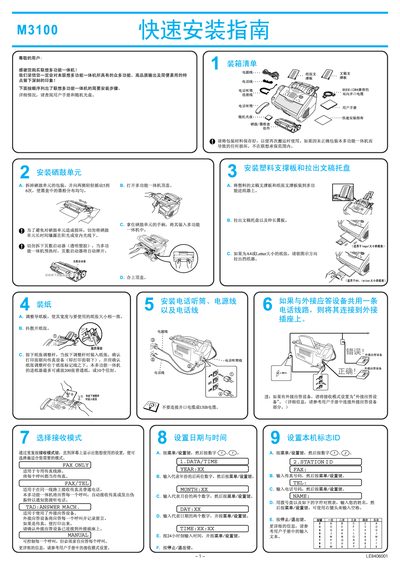
Lenovo M3100 Multi-Function All-in-One Quick Installation Service Manual
This manual guides users through the quick installation of the Lenovo M3100 multi‑function all‑in‑one laser printer. It covers unpacking, loading paper and toner, connecting the device via parallel or USB cable, and configuring basic settings such as fax answer mode.
The guide also details driver installation for various Windows versions, including Windows 95/98/ME/2000/XP, and provides troubleshooting tips for common issues during setup. Follow the step‑by‑step instructions to get the printer ready for printing, scanning, and faxing. This manual is written in Chinese.
All Lenovo M3100 documents by type
Day-to-day operation, settings and troubleshooting. Start here if the product is already set up.
The shortest path to a working setup, usually only a few pages.
Questions answered in these manuals
How do I install the driver on Windows XP?
Insert the supplied CD, run setup.exe, follow the on‑screen prompts, connect the printer with the chosen cable, and restart the computer if prompted.
From: Lenovo M3100 Multi-Function All-in-One Quick Installation Service Manual
How do I send a fax with the M3100/M3200?
Place the original face‑down in the automatic feeder, press the fax start key, and follow the on‑screen prompts to enter the fax number and settings.
How can I store a single‑dial number?
Press the menu/set key, then press 2‑3‑1, select the single‑dial key, enter up to 20 digits, optionally add a name, and confirm with the menu/set key.