
Key facts
Start here
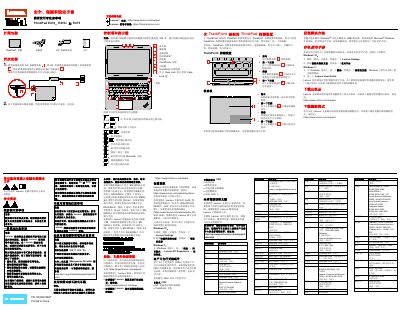
Lenovo ThinkPad E470/E470c/E475 Safety, Warranty and Setup Guide
This document is the safety, warranty and setup guide (安全、保固和設定手冊) for the Lenovo ThinkPad E470, E470c and E475 notebook computers. It lists what is included in the box, walks through first-time installation of the AC adapter and power cord, and describes the computer's controls and indicator lights, including the power button, function keys, TrackPoint pointing device and touch pad.
The guide also covers recovery options, how to access the full User Guide through Lenovo Vantage or Windows Help and Support, safety notices on plastic bags and batteries, headphone output limits (EN 50332), warranty information under the Lenovo Limited Warranty (LLW L505-0010-02), customer-replaceable units (CRUs), and a worldwide list of Lenovo support telephone numbers. This manual is written in Chinese.
Lenovo E470, E470c, E475 specifications
| Model | E470, E470c, E475 |
|---|---|
| Operating System | Windows 7, Windows 10 |
| Security Features | Security Chip, Password Protection |
All Lenovo E470, E470c, E475 documents by type
Day-to-day operation, settings and troubleshooting. Start here if the product is already set up.
The shortest path to a working setup, usually only a few pages.
Questions answered in these manuals
Where can the latest safety instructions and warranty information be found?
The most recent safety instructions, warranty, and installation guide can be confirmed on the Lenovo support website.
What is the contract number for the data or software usage restrictions under the GSA contract?
The restrictions for using, copying, or disclosing data or software provided under the GSA contract are specified in contract number GS-35F-05925.
How do I access the ThinkPad E470/E470c/E475 User Guide?
On Windows 10, open the Start menu, click Lenovo Vantage, expand Performance and Support (性能狀態與支援) and click User Guide (使用手冊). On Windows 7, click Start, then Help and Support, then Lenovo User Guide.
From: Lenovo ThinkPad E470/E470c/E475 Safety, Warranty and Setup Guide
Does the ThinkPad E470/E470c/E475 come with Windows recovery discs?
The computer may not ship with a Windows recovery disc set or USB recovery drive. To restore the Microsoft Windows operating system, refer to the User Guide.
From: Lenovo ThinkPad E470/E470c/E475 Safety, Warranty and Setup Guide