
Key facts
- Brand
- KEYENCE
- Model
- FS-V30/31(P)/31C(P)/31M/32(P)/32C(P)
- Category
- sensor
- Industry
- Industrial
- Documents
- 2
- Languages
- ZH
- Last added
- 2026-11-17
Start here
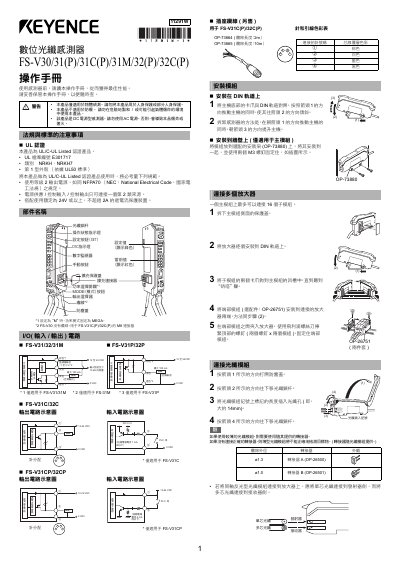
Keyence FS-V30/31(P)/31C(P)/31M/32(P)/32C(P) Digital Fiber Optic Sensor Operation Manual
The Keyence FS-V30/31(P)/31C(P)/31M/32(P)/32C(P) operation manual covers a DC-powered digital fiber optic sensor. It begins with safety and regulatory notices, including UL listing information, then identifies the sensor parts and shows I/O circuit examples.
The manual explains mounting on a DIN rail or bracket, connecting multiple amplifiers and fiber modules, and setting sensitivity with several tuning modes. It also covers output selection, dynamic sensitivity correction (DSC), area detection, display scaling, zero shift, external input, and key lock. This manual is written in Chinese.
Keyence FS-V30/31(P)/31C(P)/31M/32(P)/32C(P) specifications
| Power type | DC power supply type |
|---|---|
| Maximum submodules per main module | 16 |
| External input pulse width | At least 2 ms |
| Output mode | Light-ON or Dark-ON |
Source: Keyence FS-V30/31(P)/31C(P)/31M/32(P)/32C(P) Digital Fiber Optic Sensor Operation Manual
All Keyence FS-V30/31(P)/31C(P)/31M/32(P)/32C(P) documents by type
Day-to-day operation, settings and troubleshooting. Start here if the product is already set up.
Questions answered in these manuals
What power supply does the sensor use?
The manual describes the sensor as a DC power supply type.
From: Keyence FS-V30/31(P)/31C(P)/31M/32(P)/32C(P) Digital Fiber Optic Sensor Operation Manual
How many submodules can be connected to one main module?
Up to 16 submodules can be connected to one main module.
From: Keyence FS-V30/31(P)/31C(P)/31M/32(P)/32C(P) Digital Fiber Optic Sensor Operation Manual
How do I install the sensor on a DIN rail?
Align the sensor’s bottom claws with the DIN rail and push the sensor forward while tilting it as shown by the arrows, then lock it in place.
From: KEYENCE FS-V30/31(P)/31C(P)/31M/32(P)/32C(P) Digital Fiber Optic Sensor User Manual
How can I set the sensor’s sensitivity?
Press the SET button; the sensor will enter sensitivity‑setting mode and the value can be adjusted with the manual button.
From: KEYENCE FS-V30/31(P)/31C(P)/31M/32(P)/32C(P) Digital Fiber Optic Sensor User Manual