
Key facts
- Brand
- KEYENCE
- Model
- 21X
- Industry
- Industrial
- Documents
- 2
- Languages
- EN
- Last added
- 2026-09-28
Start here
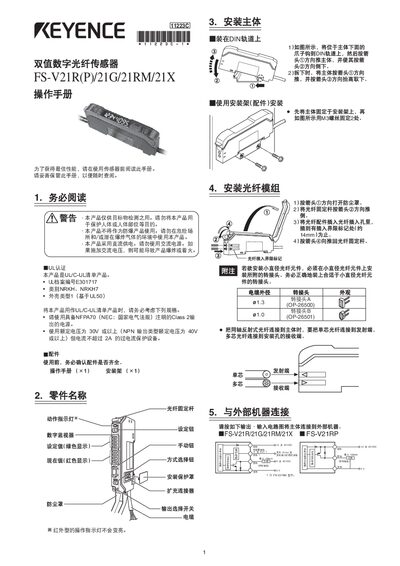
KEYENCE FS-V21R/FS-V21G/FS-V21RM/FS-V21X Sensor User Manual
This manual explains how to install the FS‑V21 series sensors, connect them to power and external equipment, and configure their operating parameters. Safety warnings emphasize that the product is for target detection only and must not be used as a protective device or with AC power.
The guide details sensitivity adjustment methods (automatic, manual, and positioning), output selection, display modes (EASY/FULL), button lock procedures, and factory default settings. It also includes proper usage tips, environmental limits, and warranty information.
KEYENCE 21X specifications
| Output type | NPN open‑collector 40 V (or PNP open‑collector 30 V) |
|---|---|
| Maximum output current | 100 mA |
| Supply voltage | DC 24 V |
| Dimensions | 9 mm W × 70 mm L × 30 mm H |
| Weight | ≈80 g (including 2 m cable) |
| Shock resistance | 500 m/s², three impacts per axis |
Source: KEYENCE FS-V21R/FS-V21G/FS-V21RM/FS-V21X Sensor User Manual
All KEYENCE 21X documents by type
Day-to-day operation, settings and troubleshooting. Start here if the product is already set up.
Questions answered in these manuals
What are the safety precautions for this sensor?
Do not apply the product to safety circuits for human protection, do not use in places with flammable gas or dust, and only apply DC power as it is a DC type.
From: KEYENCE Dual Digital Fiber Sensor FS-V21/21G/21R(P)/21X Instruction Manual
How do I set the sensor to Full Auto Calibration mode?
Press the set button for a minimum of three seconds while the target workpiece is passing the sensing area.
From: KEYENCE Dual Digital Fiber Sensor FS-V21/21G/21R(P)/21X Instruction Manual