
Key facts
- Manuals
- 24
- Models
- 3
- Categories
- 1
- Languages
- ZH · EN · JA
- Last added
- 2026-10-01
KEYENCE models by category
Featured KEYENCE manuals
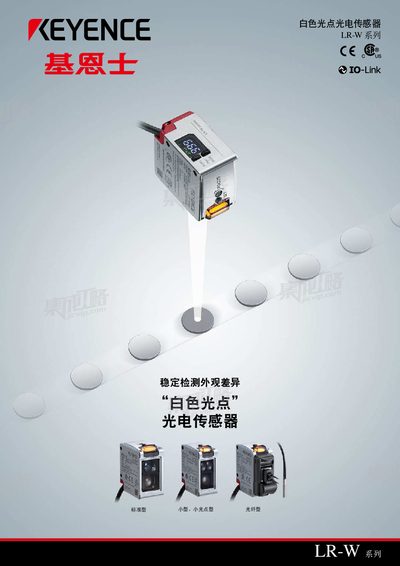
Keyence LR-W Series White Spot Photoelectric Sensor Product Leaflet
The LR‑W Series uses a white LED light source combined with a custom light‑receiving element to capture color information across the entire visible spectrum. This design enables stable detection of appearance differences even when the target is tilted or at varying distances.
The series includes standard, small, and fiber types (e.g., LR‑W500, LR‑W70, LR‑WF10) with compact dimensions, IP65/IP67 housing, and a detection range of 30‑500 mm. Power consumption is under 1.48 W with a supply voltage of 11‑25 V DC, and the sensor provides digital display and indicator LEDs for easy status monitoring. This manual is written in Chinese.
Covers: Detection Principle · Model Variants · Installation and Mounting · Technical Specifications · IP Protection Rating · Power and Supply
Keyence CV-X Series ActiveX Control Reference Manual
The Keyence CV-X Series ActiveX Control Reference Manual provides detailed information on installing, configuring, and programming the ActiveX control used with the CV‑X Series controller. It includes safety symbols, software license terms, and step‑by‑step guidance for developers familiar with Windows development environments.
The manual lists all properties, methods, and events of the control, explains communication setup, remote‑desktop operation, result and image data logging, file transfer, and non‑procedural commands. It also contains error codes, revision history, and warranty information for the software.
Covers: Introduction · Software License Agreement · Overview of CV‑X Series ActiveX Control · Development Steps · API List · Common Settings for Communications
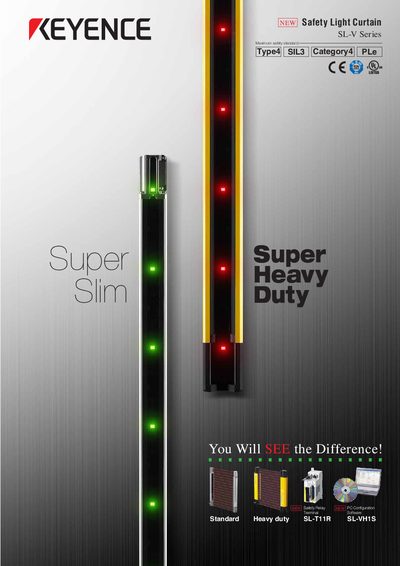
Keyence SL-T11R & SL-V Series Safety Relay Terminal and Light Curtain User Manual
This document provides detailed information on the SL‑T11R safety relay terminal and the SL‑V series safety light curtain, including design features, quick‑connect wiring, and replaceable relay modules. It also describes the PC configuration software (SL‑VH1S) that enables functions such as programmable muting, beam‑axis intensity monitoring, and extended override times, helping to reduce on‑site installation time.
Installation guidance covers the space‑saving case design, quick connectors, dedicated power supply (SL‑U2), and mounting options that eliminate dead zones. Safety information, wiring diagrams, and environmental ratings are included to ensure compliance with IEC/EN/UL 61496‑1 Category 4 standards.
Covers: Product Overview · Safety Information · Installation Guide · Configuration Software · Programming Functions · Technical Specifications
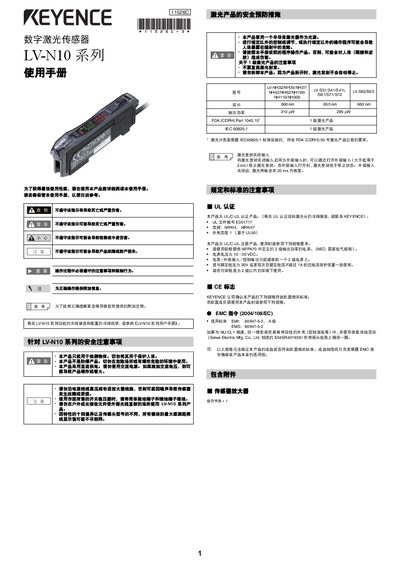
KEYENCE LV-N10 Series Digital Laser Sensor User Manual
This manual covers safety precautions, installation on DIN rails or walls, and quick‑start wiring for the LV‑N10 series digital laser sensors. Detailed instructions explain how to connect sensor heads, adjust focus rings, and secure mounting brackets.
Operational guidance includes calibration methods (two‑point, maximum‑sensitivity, auto‑calibration), output mode selection, key‑lock functions, and troubleshooting of common errors. The specification section lists laser wavelength, output power, power‑supply requirements, environmental limits, and mechanical dimensions.
Covers: Safety Precautions · Installation · Quick Start · Calibration · Operation · Output Settings
Latest KEYENCE manuals
Keyence LR-W Series White Spot Photoelectric Sensor Product Leaflet
Product Leaflet 32 pages · 4.8 MB · ZHThe Keyence LR‑W Series white‑spot photoelectric sensor detects color differences with a white LED and custom receiver, offering a 500,000× dynamic range…
Keyence CV-X Series ActiveX Control Reference Manual
Programming Manual 134 pages · 1.6 MB · ENReference manual for the Keyence CV-X Series ActiveX Control, covering installation, API usage, and programming details.
Keyence SL-T11R & SL-V Series Safety Relay Terminal and Light Curtain User Manual
User Manual 40 pages · 3.4 MB · ENThe manual explains installation, configuration, and specifications of the Keyence SL‑T11R safety relay terminal and SL‑V series safety light curtain.
KEYENCE LV-N10 Series Digital Laser Sensor User Manual
User Manual 12 pages · 2.2 MB · ENThe KEYENCE LV‑N10 Series digital laser sensor user manual provides safety instructions, installation steps, calibration procedures, and full specifications.
Keyence GT Series High-speed High-accuracy CCD Laser Displacement Sensor Manual
User Manual 20 pages · 3.6 MB · ENThis manual provides features, specifications, installation, operation, and maintenance information for the Keyence GT Series high‑speed, high‑accuracy CCD…
KEYENCE LK-G3000 Provider User's Guide
User Manual 68 pages · 718 KB · ENUser's guide for KEYENCE LK-G3000 laser displacement meter provider, covering setup, commands, programming examples, and error codes.
Keyence GV Series Digital CMOS Laser Sensor Instruction Manual
User Manual 10 pages · 976 KB · ENThe Keyence GV Series digital CMOS laser sensor instruction manual provides safety guidelines, installation steps, wiring diagrams, operation modes, and…
KEYENCE FS-V21R/FS-V21G/FS-V21RM/FS-V21X Sensor User Manual
User Manual 4 pages · 2.5 MB · ENThe KEYENCE FS‑V21 series sensor user manual provides installation, operation, settings, and safety information for the FS‑V21R, FS‑V21G, FS‑V21RM, and…
KEYENCE BT-W Series Data Transfer Software Installation Guide
Installation Guide 5 pages · 408 KB · JAThis guide explains how to install the USB driver, data transfer software, and configure the BT‑W series communication unit.
Keyence IV-H1 PC Software User Manual
User Manual 4 pages · 915 KB · ZHThe Keyence IV-H1 PC software user manual provides installation steps, system requirements, connection methods, safety notes, and specifications.
Keyence KV Series Basic Unit Programmable Logic Controller Instruction Manual
User Manual 6 pages · 593 KB · ENThe Keyence KV Series Basic Unit instruction manual provides safety, wiring, installation, and operation guidelines for the super‑small programmable logic…
KEYENCE FS-V33(P)/V34(P)/V33C(P)/V34C(P) Manual
FS-V33(P)/V34(P)/V33C(P)/V34C(P) digital optical fiber sensor dual output type user manual, introduces the use of the product, installation method, precautions and other content.
KEYENCE FS-V30/V31(P)/V31C(P)/V31M/32(P)/32V(P) Manual
KEYENCE LC-2400 Manual
This manual describes how to install and operate the LC-2400 Series laser displacement meter.
Keyence KV/KZ Series Programming Manual
Programming Manual 2 pages · 133 KB · JAThe Keyence KV/KZ Series Programming Manual details register maps, communication settings, and connector information for KV and KZ PLC controllers.
- 1
- 2
Which document do I need?
Programming Manual
Instruction set, parameters and examples for configuring or programming the device.
User Manual
Day-to-day operation, settings and troubleshooting. Start here if the product is already set up.
Installation Guide
Mounting, wiring and first power-up. Read it before the hardware goes in.
Questions answered in KEYENCE manuals
What detection distance does the LR‑W sensor support?
It can detect objects from 30 mm up to 500 mm away.
From: Keyence LR-W Series White Spot Photoelectric Sensor Product Leaflet
How is the high dynamic range achieved?
The sensor uses a low‑intensity white LED together with a custom light‑receiving element, providing a dynamic range of about 500,000 times.
From: Keyence LR-W Series White Spot Photoelectric Sensor Product Leaflet
Can the API be called from multiple threads?
No, the software does not support calling an API from multiple threads; it must be called from a single thread only.
Is the software allowed to be installed on multiple devices?
Yes, the license permits installation on multiple devices and computers for the user's benefit.
What safety functions are built into the SL‑T11R terminal?
The SL‑T11R includes a quick connector, replaceable relay board, dedicated power supply (SL‑U2), and space‑saving case design that prevents wiring errors and simplifies integration with the SL‑V light curtain.
From: Keyence SL-T11R & SL-V Series Safety Relay Terminal and Light Curtain User Manual
How do I perform a two‑point calibration?
Press the [SET] button once with no workpiece, then press it again when a workpiece is present; the sensor will set the midpoint between the two readings.
From: KEYENCE LV-N10 Series Digital Laser Sensor User Manual