
The Jabra BT150 is a headphone product designed for an active lifestyle. It is lightweight, weighing only 16 grams, and can be comfortably worn on either the left or right ear. It has various features such as answering/hanging up calls, voice dialing, and last number redial. It has up to 6 hours of talk time and up to 110 hours of standby time. It supports Bluetooth version 1.2, supporting both headset and hands-free profiles.
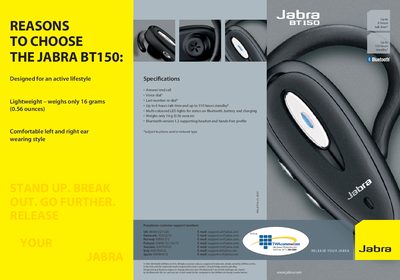
The Jabra BT150 is a compact, lightweight Bluetooth headset designed for an active lifestyle. It weighs only 16 g and offers up to 6 hours of talk time and 110 hours of standby.
The manual includes a quick‑start guide for pairing the headset with a mobile phone, descriptions of basic functions such as answering, ending calls, volume control, and a list of key specifications like Bluetooth version 1.2 and multi‑coloured status LEDs.
| Talk time | Up to 6 hours |
|---|---|
| Standby time | Up to 110 hours |
| Weight | 16 g (0.56 oz) |
| Bluetooth version | 1.2 |
| LED status lights | Multi‑coloured LEDs for Bluetooth, battery and charging |
| Answer/end call button | Present |
| Voice dial | Supported |
| Last number redial | Supported |
Press the answer/end button and the volume up (+) button together to enter pairing mode, set the phone to discover devices, and enter the PIN 0000 when prompted.
The headset provides up to 6 hours of talk time and up to 110 hours of standby time.
Tap the answer/end button on the headset to answer a call; tap it again to end the call.