
Dell Vostro 15 5000 Series Notebook Quick Start Guide

Dell Vostro 15 5000 Series Notebook Quick Start Guide
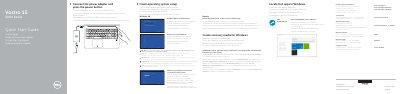

Dell Vostro 15 5000 Series Notebook Quick Start Guide - cover page
Brand
DELL
Category
Laptops
Document type
Quick Start Guide
Language
English
Pages
2
File format
PDF
File size
410 KB
Published
24 November, 2023
Updated
24 November, 2023
MD5 checksum
3C1B2152207B4574FF623E64B053440B

About this manual

The Dell Vostro 15-5568 Quick Start Guide provides essential instructions for getting started with the notebook, including connecting the power adapter and completing the operating system setup for Windows 10 or Ubuntu.

It includes a detailed map of the device's hardware features, such as ports and sensors, as well as a guide to the keyboard shortcut keys for audio, display, and system control.

What's inside

  • Connect the power adapter
  • Finish operating system setup
  • Create recovery media for Windows
  • Features
  • Shortcut keys

Frequently asked questions

How do I create recovery media for Windows on this laptop?

In the Windows search bar, type 'Recovery', click 'Create a recovery media', and follow the on-screen instructions.

What is the first step to start using the notebook?

Connect the power adapter and press the power button.

How do you create recovery media for Windows?

In Windows search, type Recovery, click Create a recovery media, and follow the instructions on the screen.

What happens if you connect to a secured wireless network?

You must enter the password for the wireless network access when prompted.

Download PDF (410 KB)

More DELL Manuals


View all DELL manuals →