
Dell Vostro 15 5000 Series Notebook Quick Start Guide
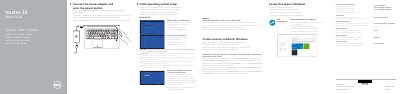
This quick start guide helps set up the Dell Vostro 15 5000 Series notebook, including connecting power, finishing operating system setup, and locating Dell apps. It also lists product support and regulatory information.
The guide identifies notebook features such as ports, camera, fingerprint reader, touchpad, and speakers, and explains shortcut keys for audio, brightness, wireless, and sleep.
| VGA port | Included |
|---|---|
| USB 3.0 port | Included |
| USB 2.0 port | Included |
| USB 3.0 port with PowerShare | Included |
| HDMI port | Included |
| Network port | Included |
| Memory card reader | Included |
| Fingerprint reader | Included |
Enter the password for the wireless network access when prompted.
In Windows search, type Recovery, click Create a recovery media, and follow the instructions on the screen.
Visit Dell.com/support and Dell.com/support/manuals.