
Dell Precision Mobile Workstation 7000 Series Quick Start Guide

Dell Precision Mobile Workstation 7000 Series Quick Start Guide
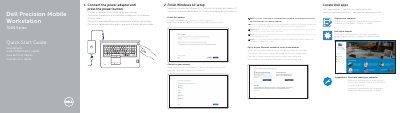

Dell Precision Mobile Workstation 7000 Series Quick Start Guide - cover page
Brand
DELL
Category
Laptops
Document type
Quick Start Guide
Language
English
Pages
2
File format
PDF
File size
386 KB
Published
24 November, 2023
Updated
24 November, 2023
MD5 checksum
A88B69EA25487CF1D242031E3FCA92DA

About this manual

This document serves as a multilingual quick start guide for the Dell Precision 7710 Mobile Workstation. It provides instructions for connecting the power adapter, performing initial Windows 10 setup, and registering the device with Dell Help & Support. The guide includes specific notes for connecting to secured wireless networks and creating user accounts.

What's inside

  • Connect the power adapter
  • SupportAssist Check
  • Register your computer
  • Dell Help & Support
  • Locate Dell apps
  • Finish Windows 10 setup
  • Enable Dell updates
  • Connect to your network
  • Features
  • Regulatory information

Specifications

Input Voltage100 V AC–240 V AC
Input Current (Max)3.5 A
Input Frequency50 Hz–60 Hz
Output Current12.3 A
Output Voltage19.5 V DC

Frequently asked questions

What should I do if I connect to a secured wireless network?

Enter the password for the wireless network access when prompted.

How do I register my computer?

Use the 'Register your computer' section in the guide to complete the registration process.

Download PDF (386 KB)

More DELL Manuals


View all DELL manuals →