
OptiPlex 7450 All-in-One Quick Start Guide
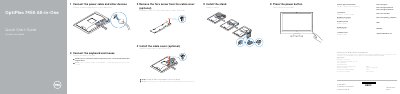
This document serves as a Quick Start Guide for the Dell OptiPlex 7450 All-in-One computer. It outlines the initial setup steps, including connecting the power cable, attaching the keyboard and mouse, installing the cable cover and stand, and powering on the device. The guide also directs users to Dell's support website for additional manuals and product support.
| Input Voltage | 100 V CA–240 V CA |
|---|---|
| Input Current | 3,0 A |
| Input Frequency | 50 Hz–60 Hz |
| Regulatory Model | W11C |
No, securing the cable cover by using the Torx screw is optional.
Connect the power cable and other devices.
100 V CA–240 V CA.
3,0 A.