
Dell OptiPlex 7450 All-in-One Quick Start Guide

OptiPlex 7450 All-in-One Quick Start Guide
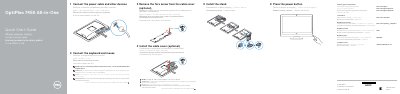

Dell OptiPlex 7450 All-in-One Quick Start Guide - cover page
Brand
DELL
Category
All-in-One Desktops
Document type
Quick Start Guide
Language
English
Pages
2
File format
PDF
File size
686 KB
Published
22 November, 2023
Updated
22 November, 2023
MD5 checksum
8DFCE98486E588F5D401D1A8F5244771

About this manual

This document is the Quick Start Guide for the Dell OptiPlex 7450 All-in-One computer. It provides multilingual instructions for connecting the power cable, keyboard, mouse, and stand. It also covers optional steps for securing the cable cover with a Torx screw.

What's inside

  • Connect the power cable and other devices
  • Connect the keyboard and mouse
  • Install the stand
  • Press the power button
  • Remove the Torx screw from the cable cover
  • Install the cable cover
  • Features
  • Finish Windows 10 setup

Frequently asked questions

How do I connect a wireless keyboard or mouse?

You must see the documentation that shipped with the wireless keyboard or mouse.

Is securing the cable cover with a Torx screw required?

No, securing the cable cover by using the Torx screw is optional.

Download PDF (686 KB)

More DELL Manuals


View all DELL manuals →